




GoldCycle EA MT5: Automated Gold Trading with Dynamic Volatility-Based Risk Management
Introduction to GoldCycle EA MT5
GoldCycle EA MT5 is an automated trading Expert Advisor developed for gold trading on MetaTrader 5, using the GOLD/XAUUSD instrument. It follows a structured daily trading strategy that combines daily price-level analysis with an internal volatility engine to determine potential entry points and adjust Stop Loss and Take Profit distances.
Rather than keeping trades open indefinitely, GoldCycle operates within a defined daily trading cycle. According to its product specifications, the EA places pending orders around daily price levels during the early European trading session. It is designed to close open positions and cancel remaining pending orders by the end of the New York session, avoiding overnight and weekend exposure.
A key feature of GoldCycle EA MT5 is its volatility-responsive trade management. When market volatility decreases, Stop Loss and Take Profit distances may become narrower. During more volatile periods, these distances may expand to reflect larger price movements. The EA also uses percentage-based risk management to calculate position sizes according to the configured risk parameters and Stop Loss distance.
GoldCycle is described as avoiding grid trading, averaging down, and traditional Martingale strategies. Traders can choose an optional recovery mode after a losing trade or maintain a fixed-risk approach without increasing the intended risk following losses.
With automated pending-order placement, configurable risk controls, and support for multiple account types, GoldCycle EA MT5 offers a rules-based approach to automated XAUUSD trading. Nevertheless, automated execution and historical backtesting cannot guarantee future profitability. Testing the EA under realistic broker conditions is essential before considering live trading.
Key Features of GoldCycle EA MT5
1. Automated GOLD and XAUUSD Trading
GoldCycle EA MT5 is designed specifically for GOLD/XAUUSD, the gold-versus-US-dollar trading instrument. Gold prices can respond rapidly to inflation reports, economic announcements, central bank decisions, geopolitical developments, and changes in market sentiment.
The EA automates its daily trading process, reducing the need to place pending orders manually. Its entry logic uses daily price levels to identify potential opportunities, while its internal volatility engine helps determine suitable order distances and protective levels.
The recommended configuration is GOLD/XAUUSD on the H1 chart in MetaTrader 5. Traders should verify the exact symbol offered by their broker, as gold may appear under a different name or with a broker-specific suffix.
2. Daily Trading Cycle and Pending Orders
GoldCycle uses a structured daily trading cycle rather than continuously opening new positions throughout the trading day.
According to the product specifications, the EA collects daily market data and places pending orders around the day’s high and low during the early European session. A configurable parameter called Spread or Range determines the distance between the relevant daily price levels and the pending-order placement levels.
Pending orders allow the system to wait for the market to reach predefined price levels before entering a trade. This creates a systematic entry process, although it cannot eliminate false breakouts, slippage, or sudden reversals.
The EA is also designed to cancel pending orders and close open positions at a configured time associated with the end of the New York session. This time-based approach aims to prevent trades from remaining open overnight or over the weekend.
Because trading-session times depend on broker server time, time zones, and daylight-saving changes, users should verify the EA’s timing configuration before activating automated trading.
3. Dynamic Stop Loss and Take Profit Based on Market Volatility
One of the main features of GoldCycle EA MT5 is its internal volatility engine, which adjusts Stop Loss and Take Profit distances according to changing market conditions.
Instead of relying exclusively on fixed distances, the system adapts its trade levels to its assessment of current volatility.
- Low volatility: Stop Loss and Take Profit distances may become narrower.
- High volatility: Stop Loss and Take Profit distances may expand to accommodate larger price movements.
This mechanism is designed to make trade management more responsive to gold-market conditions. However, wider Stop Loss distances can increase the potential loss per trade unless position sizing is adjusted accordingly. Narrower distances may also make trades more vulnerable to routine price fluctuations.
The outcome depends on the EA’s calculations, configured risk limits, broker execution, and market behavior. Dynamic Stop Loss and Take Profit settings should therefore be evaluated through testing rather than assumed to improve results in every environment.
4. Percentage-Based Risk Management and Automatic Lot Sizing
GoldCycle uses percentage-based risk management to calculate position sizes according to the configured risk level and Stop Loss distance.
The EA automatically adjusts the lot size, reducing the need for manual trade-volume calculations. As the distance between the entry price and Stop Loss changes, the position size may change as well.
For example, when the Stop Loss is closer to the entry price, the EA may calculate a larger lot size to maintain a similar intended monetary risk. Consequently, lower volatility does not necessarily mean lower market exposure.
Traders should verify how GoldCycle calculates risk, whether the calculation uses account balance or equity, and how it handles minimum lot sizes, lot-step restrictions, margin requirements, and broker-specific contract specifications.
Automatic position sizing can support consistent risk rules, but it does not eliminate trading losses or guarantee that the realized loss will remain within the intended percentage.
5. No Grid Trading, Martingale, or Averaging Down
According to its product description, GoldCycle avoids several trading methods that can increase exposure during unfavorable market conditions, including:
- Grid-based accumulation of multiple positions.
- Averaging down by adding to losing trades.
- Traditional Martingale strategies that increase position sizes after losses.
- Indefinitely holding hidden losing positions.
The supplied specifications state that the EA is limited to a maximum of two trades per day. Its described strategy does not rely on adding multiple layers of trades to manage losing positions.
These characteristics distinguish GoldCycle from systems that increase market exposure when prices move against an existing position. However, avoiding grid and Martingale techniques does not make the EA risk-free. Even a single trade can produce a substantial loss when position sizing, volatility, or execution conditions are unfavorable.
Users should also examine the optional recovery feature carefully because increasing the size of a subsequent trade after a loss can change the strategy’s overall risk profile.
6. Optional Recovery Mode and Fixed-Risk Trading
GoldCycle provides an optional recovery function that allows traders to configure how risk changes after a losing trade. The relevant parameters include Start Risk, Recovery Factor, and Max Risk.
Depending on the selected configuration, recovery mode may increase the risk allocated to a subsequent trade after a loss. Traders who prefer not to increase their risk can instead choose a fixed-risk approach, as described in the product specifications.
The two approaches have different implications:
- Fixed-risk mode: Aims to maintain the configured risk level without increasing it after a loss, subject to the EA’s calculation rules and actual execution.
- Recovery mode: May increase subsequent trade risk according to the selected recovery factor and maximum-risk limit.
Increasing risk to recover previous losses can intensify drawdowns if additional losing trades occur. Before using this feature on a live account, traders should understand its calculations, test the available settings, and establish an acceptable risk limit.
7. News Trading Restrictions
The product specifications state that GoldCycle does not trade during news events. This restriction is intended to reduce exposure during scheduled periods when market conditions may become unusually volatile.
Gold prices can move sharply around major economic releases, while spreads and execution costs may increase. News-related trading restrictions can therefore be an important consideration for automated gold strategies.
However, users should verify how this restriction is implemented. It may depend on an economic calendar, predefined time windows, or another mechanism. Unexpected announcements and unscheduled geopolitical events can still cause rapid market movements.
8. Prop Firm-Oriented Trading Configuration
GoldCycle is described as being designed with proprietary trading firm, or prop firm, requirements in mind. According to the developer, the EA uses daily high and low levels to establish entries and limits its activity through a structured daily trading cycle.
Prop firms commonly impose rules governing maximum daily loss, overall drawdown, trading hours, news trading, and position exposure. Using an EA designed with these considerations in mind does not automatically guarantee compliance.
Before deploying GoldCycle in a prop firm evaluation or funded account, traders should verify that its order management, risk calculations, session timing, and recovery settings comply with the firm’s current rules. Any supplied configuration files and risk guidance should be checked against the official account conditions.
9. Automated Stop Loss and Take Profit Protection
GoldCycle is designed to attach automatic Stop Loss and Take Profit levels to its trades. These settings define planned exit conditions and form part of the EA’s volatility-based trade management process.
The final execution price may differ from the requested level because of slippage, price gaps, limited liquidity, or broker execution rules. A Stop Loss should not be interpreted as a guarantee that losses cannot exceed a predetermined amount.
10. Broker Compatibility and Supported Account Types
GoldCycle is advertised as compatible with different brokers and as not being highly sensitive to spreads. The product information also lists support for various account types, including hedging, netting, zero-spread, cent, micro, standard, premium, and ECN accounts.
However, compatibility does not mean that every broker will deliver identical results. Trading-symbol specifications, spreads, commissions, server time, execution speed, margin requirements, and minimum trade sizes can all affect performance.
Before installing the EA, check your broker’s GOLD/XAUUSD specifications and confirm that the account type supports the EA’s order-management logic.
GoldCycle EA MT5 Parameters Explained
GoldCycle includes several configurable parameters that control its trading schedule, trade identification, risk management, and optional trade-management features.
- Time When Data Starts: Sets when the EA begins collecting daily trading information.
- Cancel/Close Orders: Defines the time or condition for canceling pending orders and closing open positions.
- Magic Number: Identifies the EA’s trades so they can be distinguished from other trading activity.
- Stop Loss: Controls the Stop Loss setting; the supplied description recommends retaining the default value.
- Trade Comment: Allows a custom comment to be attached to trades or the comment feature to be disabled.
- Start Risk: Sets the initial risk level for the first trade.
- Recovery Factor: Defines the configured increase in risk after a losing trade when recovery mode is used.
- Max Risk: Establishes the maximum permitted risk according to the EA’s calculation method.
- Spread or Range: Sets the distance used for placing orders relative to the daily high-low range.
- Use Trailing Stop: Enables or disables the optional Trailing Stop feature; it is disabled by default according to the supplied description.
- Use Breakeven: Enables or disables the optional breakeven function; it is disabled by default according to the supplied description.
Users should understand each parameter before making changes. Risk and recovery settings can significantly affect drawdown, while incorrect session timing can cause orders to be placed or closed at unintended times.
The developer recommends starting with the default settings and adjusting risk according to individual circumstances. Any changes should be tested separately to help identify their effects on the strategy.
Recommended GoldCycle EA MT5 Settings
The supplied product information identifies the following configuration as a starting point:
- Expert Advisor: GoldCycle EA MT5
- Trading platform: MetaTrader 5 (MT5)
- Trading instrument: GOLD/XAUUSD
- Recommended timeframe: H1, or the one-hour chart
- Minimum lot size:01, subject to broker specifications
- Suggested minimum deposit: 100 account-currency units, according to the product information
- Leverage: 1:10 to 1:1000, depending on the broker and account
- Account types: Hedging, netting, zero-spread, cent, micro, standard, premium, or ECN, subject to compatibility
- Initial configuration: Default settings
- Risk management: Adjust according to account size, trading conditions, and risk tolerance
The EA is described as being ready for backtesting on the GOLD H1 chart when the broker uses a GMT+2 server-time setup with daylight-saving adjustments.
For GMT0-based setups and Exness accounts, the product information directs users to the comments section for relevant configuration files. Since server-time conventions and daylight-saving rules can differ, users should confirm the correct settings for their specific broker instead of assuming that a single configuration will work everywhere.
The suggested minimum deposit of 100 account-currency units is not a guarantee that this amount is sufficient for live trading. Capital requirements depend on the account currency, contract specifications, leverage, margin requirements, position sizing, and selected risk limits. Small accounts may be particularly vulnerable to margin pressure and drawdown.
GoldCycle EA MT5 Backtesting and Performance Evaluation
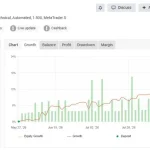
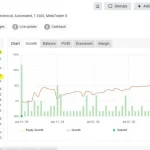
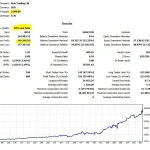
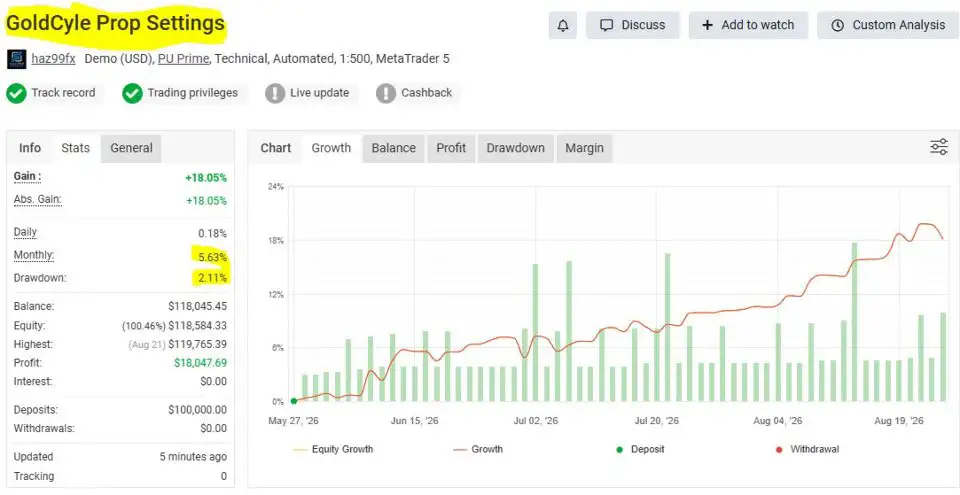
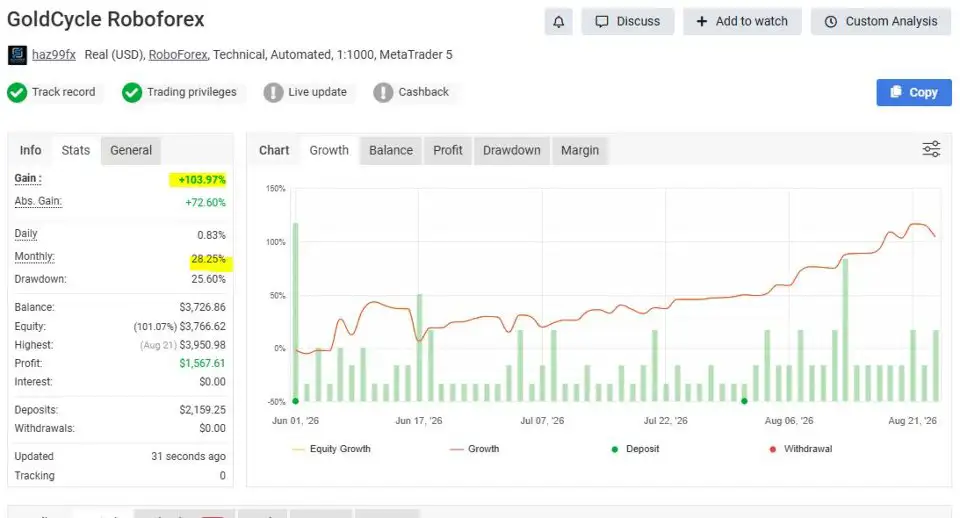
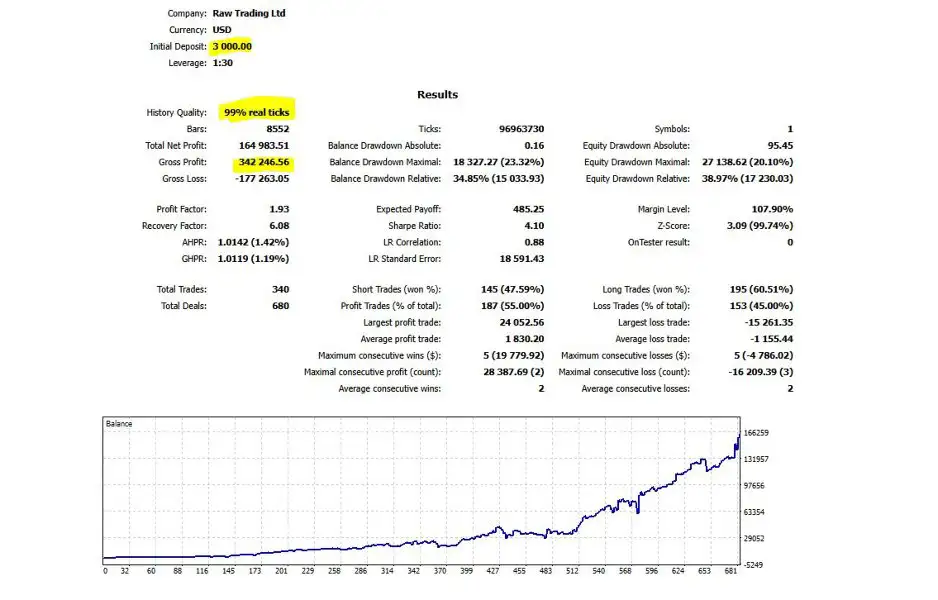
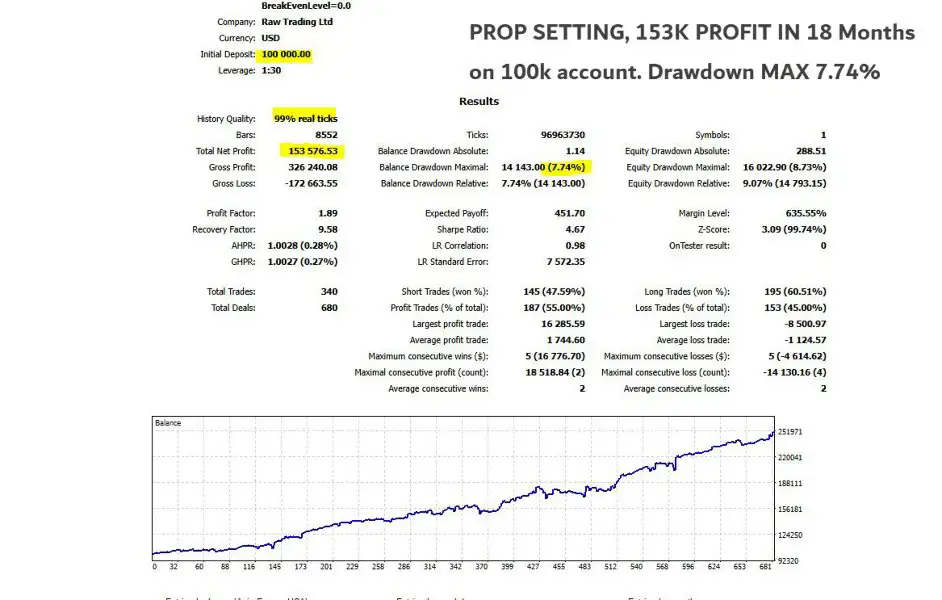
The developer reports that GoldCycle has been tested over extended historical periods using Real Tick Testing. The product information refers users to the comments section for prop firm and standard backtest results and encourages independent testing.
Real-tick backtesting can provide a more detailed simulation of historical price movements than simplified testing models. Nevertheless, results depend on data quality, spread assumptions, commissions, swaps, execution modeling, server time, and the parameters used.
When evaluating historical performance, traders should examine:
- Net profit and total return.
- Maximum balance and equity drawdown.
- Total number of trades and trading frequency.
- Average winning and losing trade.
- Performance under different volatility conditions.
- Transaction costs and sensitivity to spreads.
- Behavior during consecutive losing trades.
- Compliance with relevant prop firm restrictions, where applicable.
A reliable evaluation should cover multiple market periods rather than depend entirely on the most profitable historical configuration. Forward testing on a demo account can also help reveal differences between simulated results and live market behavior.
Backtesting is a valuable evaluation tool, but it cannot prove that the EA will achieve similar results in future markets. Past performance should never be treated as a guarantee of future profitability.
How to Get Started with GoldCycle EA MT5
Traders who want to evaluate GoldCycle can follow a structured setup process:
- Obtain the EA and installation instructions. Follow the developer’s purchase and support process. The supplied product description requests a private message after purchase to receive manual instructions.
- Install the EA in MetaTrader 5. Confirm that the files are installed correctly and that the Expert Advisor is available in the platform.
- Select the correct gold symbol. Use the GOLD/XAUUSD instrument supported by your broker and check its contract specifications.
- Open the H1 chart. Begin with the recommended one-hour timeframe for initial configuration and backtesting.
- Verify server time and session settings. Confirm the broker’s time zone and daylight-saving rules before activating the daily order-placement and closing functions.
- Review the risk parameters. Check Start Risk, Recovery Factor, and Max Risk. Consider fixed-risk mode if you do not want risk to increase after losing trades.
- Run a realistic backtest. Use suitable historical data, realistic spreads, commissions, and execution assumptions.
- Forward-test on a demo account. Monitor pending-order placement, position sizing, daily closing behavior, and results across different market conditions before considering live trading.
The exact installation and configuration process may vary depending on the EA version, broker, and account type. Follow the developer’s current instructions and verify all settings before enabling automated trading.
GoldCycle EA MT5 Updates and Customer Support
According to the supplied product information, the current version is GoldCycle EA MT5 version 1.0, and new updates are provided free of charge. The description states that the latest version is available through the MT5 platform.
The developer also advertises customer support, set files for prop firm configurations, and risk-management guidance. These resources may assist with installation and setup, but users should independently confirm that recommended settings comply with their broker’s trading conditions and their own risk limits.
Check the current version and support instructions when obtaining the EA, as its features, compatibility, and documentation may change over time.
Is GoldCycle EA MT5 Worth Considering?
GoldCycle EA MT5 is an automated gold trading Expert Advisor built around a daily trading cycle, volatility-responsive Stop Loss and Take Profit levels, and percentage-based position sizing. Its described strategy combines pending orders around daily price levels with scheduled order cancellation and position closure.
Additional features include configurable recovery behavior, a fixed-risk alternative, optional Trailing Stop and breakeven functions, and a design that avoids grid trading and averaging down. The supplied specifications state a maximum of two trades per day and describe the EA as avoiding overnight and weekend position holding.
For traders exploring automated XAUUSD trading on MetaTrader 5, these features provide a framework for further evaluation. Important considerations include the accuracy of the supplied configuration, the reliability of its risk calculations, compatibility with broker server time, and performance under realistic execution conditions.
The advertised backtesting methodology can contribute to the evaluation process, but historical results should be reviewed critically and independently verified where possible. No Expert Advisor can guarantee profits or eliminate market risk.
GoldCycle EA MT5 is best viewed as a trading strategy to test and evaluate, not as a promise of consistent returns. Start with careful backtesting, verify all time and risk settings, and conduct demo testing before considering live trading. Never risk money you cannot afford to lose.


Reviews
There are no reviews yet.