




Institutional SMC Robot MT5 – Advanced Smart Money Concepts EA for MetaTrader 5
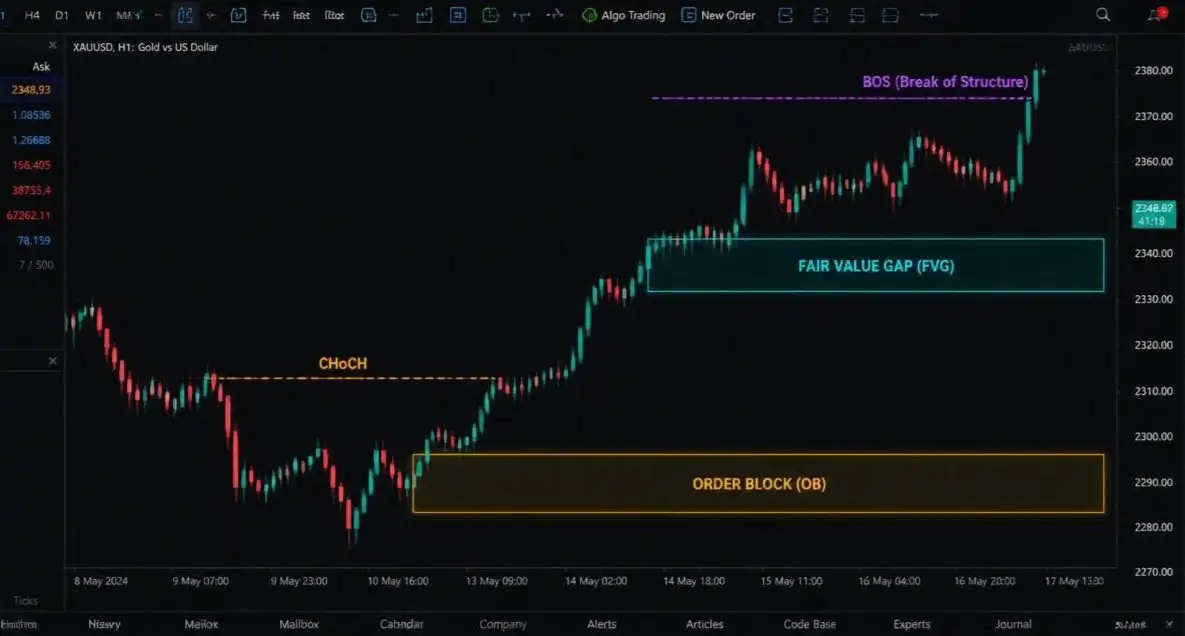
Institutional SMC Robot MT5 is an automated Expert Advisor (EA) for MetaTrader 5, designed around Smart Money Concepts (SMC), price action, market structure, and liquidity analysis. The system combines several widely used SMC concepts, including Break of Structure (BOS), Change of Character (CHoCH), Order Blocks (OB), Fair Value Gaps (FVG), Quasimodo Levels (QML), and liquidity sweeps within an automated trading framework.
Instead of depending solely on conventional technical indicators, Institutional SMC Robot MT5 evaluates multiple structural conditions before a potential trade is executed. Its configurable architecture also includes position sizing, Stop Loss management, trailing functionality, spread protection, daily loss controls, and total drawdown protection.
The EA is designed for traders who want to explore automated SMC trading on MT5 across markets such as Gold, Forex, indices, Bitcoin, and other compatible instruments.
Institutional SMC Robot MT5 at a Glance
- Product Name: Institutional SMC Robot MT5
- Platform: MetaTrader 5
- Strategy Core: Smart Money Concepts, Price Action, Liquidity Analysis
- Market Structures: BOS, CHoCH, Order Block, FVG, QML
- Supported Assets: Gold, Forex, Indices, Bitcoin, Crypto
- Primary Example: XAUUSD
- Backtest Timeframe: H1
- Backtest Model: Every Tick Based on Real Ticks
- Minimum Deposit: $200 / €200
- Recommended Standard Account Capital: $300+
- Account Types: Cent, Micro, Standard, ECN, Raw Spread, Hedge
- Risk Management: Fixed Lot, Risk %, Auto Risk
- Prop Firm Protection: Daily Loss and Drawdown Controls
- Optimization: Customizable through MT5 Strategy Tester
What Is Institutional SMC Robot MT5?
Institutional SMC Robot MT5 is an automated Smart Money Concepts Expert Advisor for MetaTrader 5. Its strategy architecture focuses on interpreting price structure, liquidity behavior, and potential imbalance areas through predefined rules.
The EA incorporates several SMC and price-action components, including:
- Break of Structure (BOS)
- Change of Character (CHoCH)
- Order Blocks (OB)
- Fair Value Gaps (FVG)
- Quasimodo Levels (QML)
- Liquidity Sweeps
- Swing Highs and Swing Lows
- Price-action market structure
These elements are evaluated as part of a structured trading process rather than requiring the trader to manually monitor every chart movement.
The main purpose of the system is to provide an automated environment for traders interested in applying SMC trading concepts while maintaining configurable risk and execution parameters.
How Institutional SMC Robot MT5 Analyzes the Market
The EA uses a multi-stage process to evaluate market conditions before entering a trade.
1. Market Structure Detection
The system analyzes price action to identify relevant Swing Highs and Swing Lows. These structural points provide a foundation for determining how the market is developing.
Fractal sensitivity can be adjusted, allowing users to customize how the EA interprets structural movements.
2. BOS and CHoCH Analysis
After identifying relevant market structure, the EA monitors for Break of Structure and Change of Character events.
BOS can provide information about a structural break, while CHoCH can indicate a potential transition in the prevailing structure. Within the EA, these events can contribute to the trade-confirmation process.
3. Liquidity and Imbalance Detection
Institutional SMC Robot MT5 also analyzes areas associated with liquidity and price imbalance.
Its framework includes:
- Order Blocks
- Fair Value Gaps
- Liquidity-related price movements
- Unmitigated structural areas
These elements can be incorporated into the system’s filtering and entry logic.
4. Automated Trade Execution
When the configured conditions are satisfied, the Expert Advisor can automatically open a position.
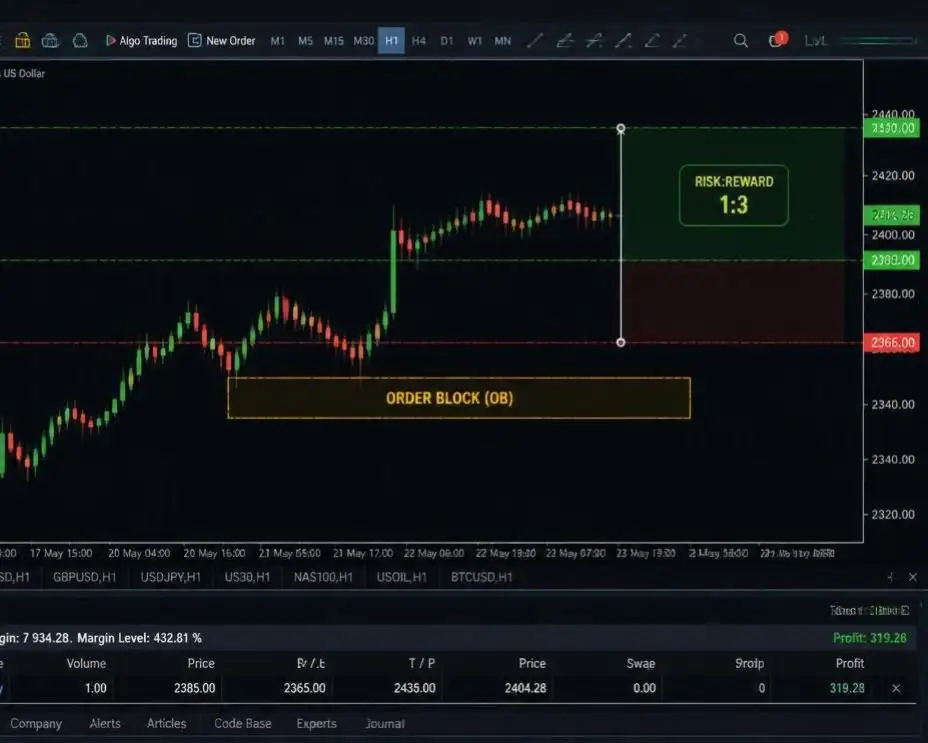
Stop Loss and Take Profit settings can be configured according to the selected parameters, including market-structure-based calculations and Risk-to-Reward Ratio (RRR) settings.
5. Automated Position Management
After entry, the EA can manage positions using configurable tools such as:
- Stop Loss
- Take Profit
- Trailing Stop
- Position sizing
- Spread protection
- Risk limits
- Daily loss controls
- Total drawdown protection
This creates an automated workflow covering market analysis, execution, and position management.
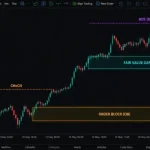
Smart Money Concepts Built Into the EA
Break of Structure (BOS)
Break of Structure (BOS) refers to a price movement that breaks a previous structural high or low.
Institutional SMC Robot MT5 incorporates BOS analysis into its market-structure framework and can use structural breaks as part of the confirmation process.
Change of Character (CHoCH)
Change of Character (CHoCH) is commonly used in SMC analysis to describe a potential shift in market structure.
The EA can evaluate CHoCH conditions alongside other structural factors when searching for potential trading opportunities.
Order Blocks
Order Blocks (OB) are another important component of the EA’s SMC architecture.
Institutional SMC Robot MT5 can incorporate relevant Order Block areas into its market-location and trade-filtering process.
Fair Value Gaps (FVG)
Fair Value Gaps represent areas of price imbalance that can occur during strong market movements.
The EA includes FVG analysis as part of its broader liquidity and imbalance framework.
Quasimodo Levels (QML)
The system also supports Quasimodo Level analysis, adding another structural component to its SMC-based trading framework.
Liquidity Sweeps
Liquidity analysis is incorporated into the overall strategy. The EA can evaluate liquidity-related price behavior alongside market structure and imbalance conditions.
Supported Markets and Trading Instruments
Institutional SMC Robot MT5 is designed as a multi-asset Expert Advisor.
Depending on the configuration and optimization, the system can be used with markets such as:
- XAUUSD / Gold
- Forex major pairs
- Forex minor pairs
- US100 / NASDAQ
- US30
- GER40
- BTCUSD / Bitcoin
- Major cryptocurrencies
- Other compatible instruments
Different financial instruments have different spreads, volatility characteristics, contract specifications, liquidity conditions, and trading sessions.
For this reason, a configuration developed for one market should not automatically be considered suitable for another. Each symbol should be tested independently.
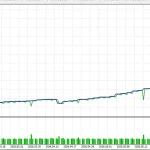
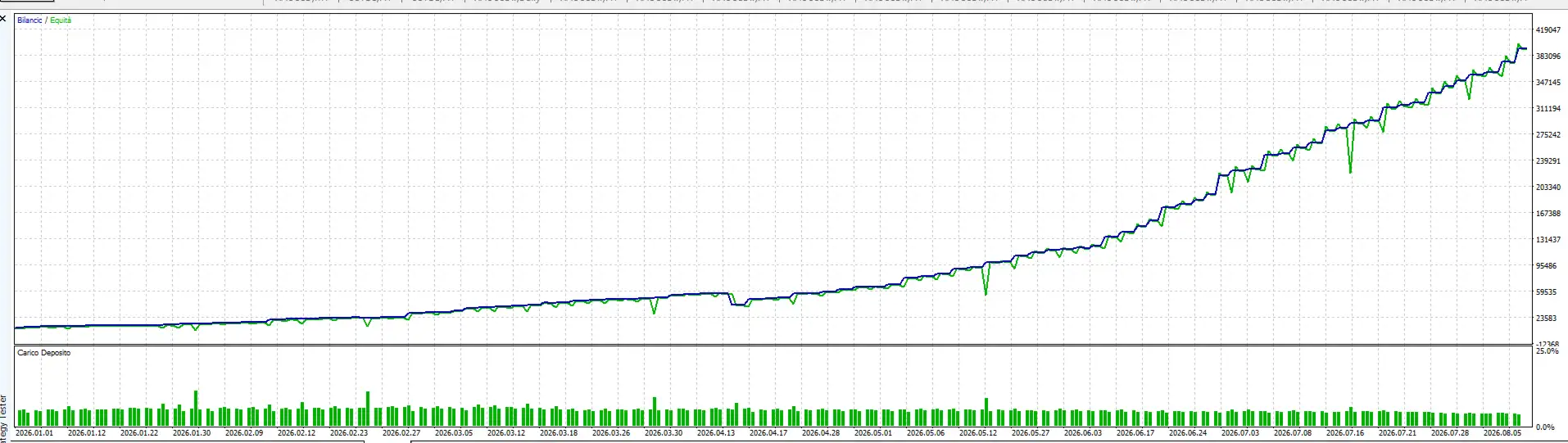
XAUUSD Gold Backtest Configuration
The supplied example configuration for Gold uses:
- Symbol: XAUUSD
- Timeframe: H1
- Settings: Default
- Modeling: Every Tick Based on Real Ticks
This configuration can be used as a reference for historical testing.
However, backtesting is a method of studying historical market behavior rather than a prediction of future results. Live execution can differ because of spread, slippage, commissions, liquidity, broker execution, and changing market conditions.
Multi-Asset .SET Files
Additional .set configuration files may be available for markets such as:
- XAUUSD
- US100 / NASDAQ
- BTCUSD
- Other supported instruments
Users should make sure that their configuration file matches the current version of Institutional SMC Robot MT5.
Some comments or files included with product documentation may refer to older versions, including version 1.2. Using settings from an older release without verification may produce unsuitable configurations.
For this reason, traders should use the latest compatible settings for their installed EA version.
MT5 Strategy Tester Optimization
One of the useful characteristics of Institutional SMC Robot MT5 is its configurable parameter structure.
The MetaTrader 5 Strategy Tester can be used to investigate different settings for:
- Swing sensitivity
- Market structure filters
- Liquidity conditions
- Imbalance filters
- Risk parameters
- Stop Loss and Take Profit settings
- Different symbols
- Different timeframes
The strategy tester can therefore help traders investigate how different configurations behave across historical data.
However, optimization should be performed carefully. Excessive parameter optimization can result in curve fitting, where a configuration becomes highly adapted to historical data without necessarily maintaining similar behavior in future market conditions.
Risk Management and Position Sizing
Institutional SMC Robot MT5 provides several position-sizing approaches to accommodate different trading preferences.
Fixed Lot Trading
With Fixed Lot Mode, the EA uses a predefined lot size for its trades.
This provides a simple method of controlling nominal position size, although the actual account risk can vary depending on Stop Loss distance and market conditions.
Risk Percentage Mode
The Risk Percentage Mode calculates position size based on account conditions and configured risk parameters.
This approach can allow position sizing to adapt to account equity and the selected Stop Loss distance.
Auto Risk Mode
The EA also includes predefined risk levels ranging from Very Low to Extreme Risk.
Users should understand the relationship between each setting, lot size, account exposure, margin requirements, and potential drawdown before enabling automated trading.
Prop Firm Risk Protection
Institutional SMC Robot MT5 includes account-level risk controls that can be useful for traders evaluating automated systems for funded or proprietary trading environments.
Maximum Daily Loss Guard
The Max Daily Loss Guard can monitor account performance and respond when the configured daily loss threshold is reached.
Depending on the configuration, this can help restrict additional trading after a specified daily loss level.
Maximum Total Drawdown Guard
The Max Total Drawdown Guard is designed to monitor overall equity drawdown and stop the EA when the configured boundary is reached or approached according to the selected settings.
These features provide configurable account-level risk boundaries, but they do not guarantee compliance with every prop firm’s rules.
Each proprietary trading company may have different requirements covering:
- Daily drawdown
- Maximum overall drawdown
- News trading
- Overnight positions
- Weekend trading
- Trading hours
- Hedging
- Lot size
- Minimum trading days
- Other account restrictions
Always verify the current rules of the specific provider before using an automated Expert Advisor on a funded account.
Trading Session and News Filters
The EA can also incorporate time-based restrictions that allow traders to limit trading during selected periods.
Depending on the configuration, these filters may be used around:
- High-impact economic news
- Market-close periods
- Specific trading sessions
- User-defined time windows
Such filters can be relevant when trading instruments that experience substantial changes in liquidity or volatility during major economic events.
Account Compatibility
Institutional SMC Robot MT5 is designed to support several MetaTrader 5 account configurations, including:
- Cent accounts
- Micro accounts
- Standard accounts
- ECN accounts
- Raw Spread accounts
- Hedge accounts
The supplied product specifications state a minimum deposit of $200 / €200, with $300+ recommended for Standard Lot execution.
Actual capital requirements can vary according to the broker, leverage, contract specifications, minimum lot size, margin requirements, and selected trading instrument.
Important Considerations for Cent and Micro Accounts
Cent and Micro accounts can use different pricing and contract specifications from Standard accounts.
For example, certain Gold symbols may use three decimal places instead of the two-decimal pricing used by other account types.
The supplied documentation specifically mentions Exness Cent accounts and symbols such as XAUUSDm.
When trading a three-decimal Gold symbol, point-based input values may need to be adjusted. The product documentation recommends using a dedicated compatible .set file for these configurations.
Before running the EA, always check the symbol’s:
- Digits
- Contract size
- Minimum lot
- Tick size
- Tick value
- Margin requirements
These specifications can be viewed directly in MetaTrader 5.
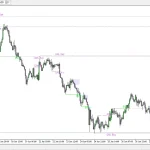
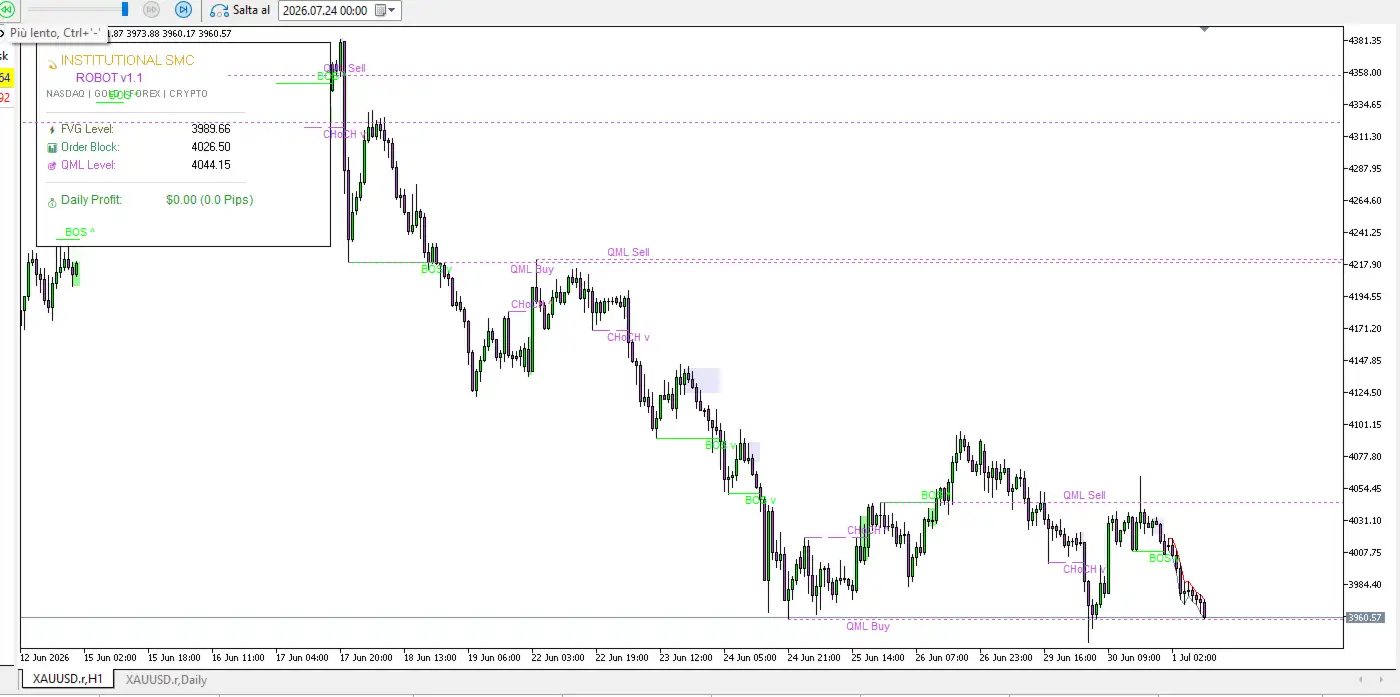
On-Chart SMC Visualization
Institutional SMC Robot MT5 includes visual features that allow traders to monitor aspects of the EA’s market analysis directly on the MT5 chart.
Enable SMC Visuals
To activate the available SMC chart elements, set:
InpEnableVisuals = true
Depending on the configuration, visual elements can include:
- Order Blocks
- Fair Value Gaps
- BOS lines
- CHoCH lines
- Chart background elements
Enable the Trading Dashboard
To display the available dashboard information, set:
InpShowDashboard = true
The dashboard can provide real-time status and daily performance information directly on the chart.
These visualization features can help users understand how the EA is interpreting market structure while it is operating.
Key Features of Institutional SMC Robot MT5
The main capabilities of the Expert Advisor include:
- Automated MetaTrader 5 trading
- Smart Money Concepts strategy framework
- BOS detection
- CHoCH detection
- Order Block analysis
- Fair Value Gap analysis
- Quasimodo Level analysis
- Liquidity sweep concepts
- Swing High and Swing Low analysis
- Price-action market structure
- Automated trade execution
- Stop Loss management
- Take Profit functionality
- Risk-to-Reward Ratio settings
- Trailing Stop management
- Spread protection
- Position-sizing controls
- Daily loss protection
- Total drawdown protection
- Time-window filters
- News-related trading restrictions
- Multi-asset compatibility
- MT5 Strategy Tester optimization
- On-chart SMC visualization
- Trading dashboard
- Multiple account-type support
How to Set Up Institutional SMC Robot MT5
Before using the EA with real funds, a structured preparation process is recommended.
Step 1: Install the EA
Install Institutional SMC Robot MT5 on the MetaTrader 5 platform and confirm that the Expert Advisor loads correctly.
Step 2: Select the Trading Instrument
Choose the intended market, such as XAUUSD, Forex, an index, or another supported instrument.
Step 3: Confirm the Timeframe
Use the timeframe associated with the selected configuration and verify that the relevant settings are compatible with it.
Step 4: Check Broker Specifications
Review the broker’s spread, commission, leverage, contract size, minimum lot, price precision, and margin requirements.
Step 5: Select a Risk Mode
Choose between Fixed Lot, Risk Percentage, or another available risk configuration.
Step 6: Configure Trade Protection
Review Stop Loss, Take Profit, trailing settings, daily loss limits, total drawdown limits, and spread protection.
Step 7: Backtest the Configuration
Use the MT5 Strategy Tester and appropriate historical data to evaluate the selected configuration.
Step 8: Forward-Test on a Demo Account
Run the EA on a Demo Account before considering live deployment. Monitor execution, spread behavior, slippage, and trading frequency.
Step 9: Check Prop Firm Requirements
If the EA will be used with a funded account, compare every relevant setting with the provider’s current trading rules.
Step 10: Monitor the Live Environment
If live trading is eventually considered, continue monitoring the EA’s exposure, execution, drawdown, and broker conditions.
Why Consider an Automated SMC Trading EA?
Smart Money Concepts are commonly used by discretionary traders to study market structure, liquidity, imbalances, and potential price-action zones.
Automating these concepts can reduce the need for constant manual chart monitoring and apply predefined conditions consistently.
Institutional SMC Robot MT5 brings several SMC concepts together within one automated system, including:
BOS + CHoCH + Order Blocks + Fair Value Gaps + QML + Liquidity Analysis
This integrated structure allows traders to investigate SMC-based strategies through MetaTrader 5 rather than manually tracking every market-structure event.
However, automation does not remove financial-market risk. An Expert Advisor remains exposed to changing volatility, liquidity conditions, spreads, slippage, execution limitations, and drawdown.
Institutional SMC Robot MT5 for Funded Trading Accounts
For traders considering automated trading on a proprietary or funded account, the EA’s daily loss and total drawdown controls can provide configurable account-level risk boundaries.
Nevertheless, these features should be treated as risk-management tools rather than a guarantee of prop-firm compliance.
Before deployment, traders should confirm:
- Maximum daily loss
- Maximum total drawdown
- News-trading policies
- Overnight restrictions
- Weekend restrictions
- Minimum trading-day requirements
- Position-size limitations
- Hedging policies
- Trading-hour restrictions
- Current account-specific conditions
The EA should be configured according to the actual rules of the selected provider.
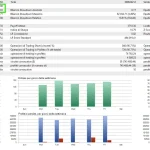
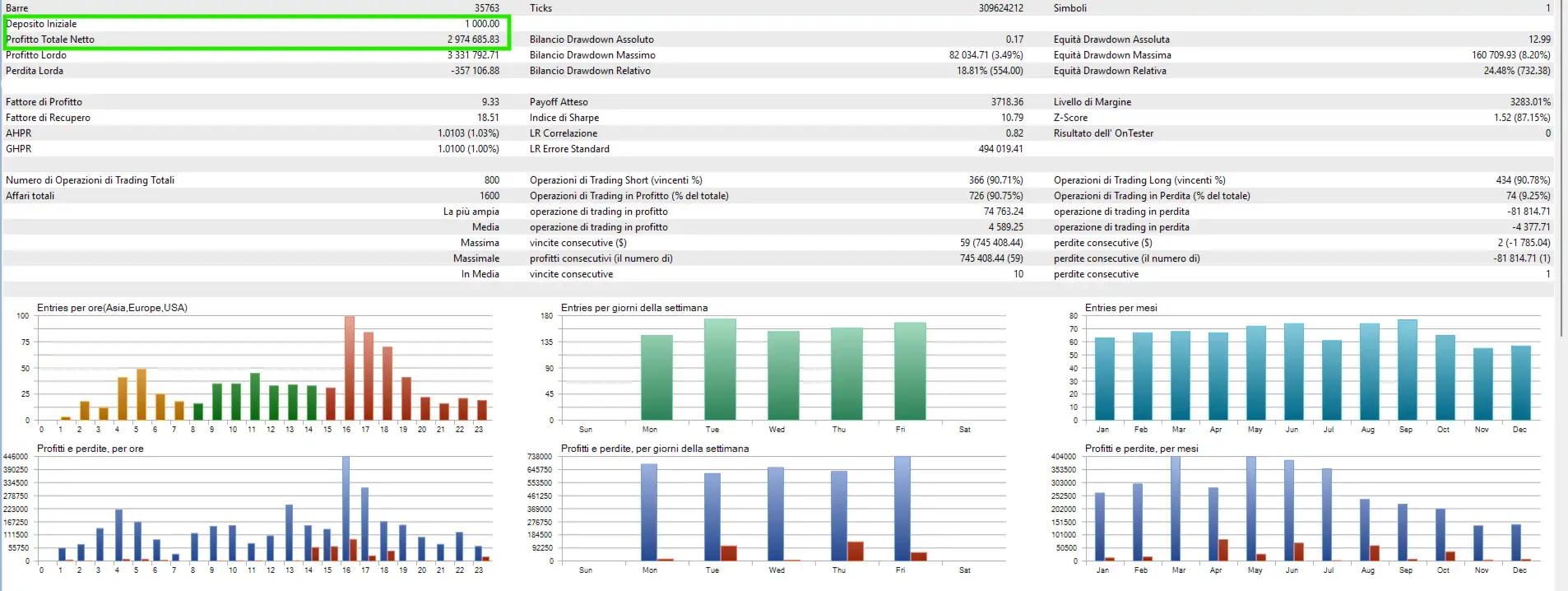
Backtesting and Performance Evaluation
Evaluating an automated trading system requires more than looking at historical profit.
When testing Institutional SMC Robot MT5, traders may review metrics such as:
- Maximum drawdown
- Profit factor
- Number of trades
- Average trade
- Win/loss distribution
- Consecutive losses
- Risk per trade
- Market exposure
- Trading frequency
- Margin usage
- Spread sensitivity
- Slippage
Testing across different historical periods and market environments can provide a broader view of how a configuration behaves.
After historical testing, Demo forward testing can provide additional information about live-style execution conditions.
Historical results should always be treated as analysis of past market behavior rather than a promise of future performance.
Final Overview
Institutional SMC Robot MT5 is an automated Smart Money Concepts EA for MetaTrader 5 that combines market-structure analysis, liquidity concepts, price action, and configurable risk management in one trading framework.
Its strategy architecture includes BOS, CHoCH, Order Blocks, Fair Value Gaps, Quasimodo Levels, and liquidity analysis, together with automated execution and position-management features.
The EA can be configured for a range of markets, including XAUUSD, Forex pairs, NASDAQ-related indices, US30, Bitcoin, and other compatible cryptocurrencies. Its adjustable parameters also allow users to investigate different settings through the MT5 Strategy Tester.
Additional tools such as daily loss protection, total drawdown controls, risk-based position sizing, trailing Stop Loss, spread protection, time filters, on-chart SMC visualization, and a trading dashboard provide further configuration options.
For anyone evaluating this automated trading system, careful backtesting, Demo forward testing, broker verification, and appropriate risk management should remain essential steps before committing real capital.
Risk Disclaimer
Trading Forex, Gold, indices, cryptocurrencies, and other financial derivatives involves substantial risk and may result in significant losses.
Leverage can increase both potential gains and potential losses. Automated trading does not eliminate market risk, execution risk, liquidity risk, spread risk, slippage, or drawdown.
Backtests and historical simulations do not guarantee future performance. Actual trading results may differ due to market volatility, broker execution, spreads, commissions, liquidity, account conditions, slippage, and other factors.
The risk-management features included in Institutional SMC Robot MT5 do not guarantee that an account will satisfy the requirements of any particular proprietary trading company.
Always verify the current rules of the relevant provider, test the EA on a Demo Account, confirm broker and symbol specifications, and use only capital you can afford to lose.


Reviews
There are no reviews yet.