




SomaOil MT5 – A Multi-Strategy WTI Crude Oil Breakout Expert Advisor
What Is SomaOil MT5?
SomaOil MT5 is a multi-strategy Expert Advisor (EA) developed for automated WTI crude oil trading on the MetaTrader 5 platform. Designed primarily for the XTIUSD trading instrument and compatible broker-specific oil symbols, this trading system combines 20 independently configured breakout strategies within a single EA running on one chart.
Instead of depending on a single entry model, SomaOil MT5 brings together multiple breakout configurations across five internal timeframes and three breakout-width variants. Each strategy operates through a shared execution engine while maintaining its own trading identifier, entry conditions, swing-detection parameters, exit rules, news-protection windows, and position-sizing allocation.
This portfolio-based architecture enables traders to manage a collection of oil breakout strategies without installing multiple Expert Advisors across separate charts.
SomaOil MT5 also provides configurable portfolio risk presets, automatic and fixed lot sizing, margin-management features, US economic news filters, optional spread protection, weekly trading-hour controls, funded-account compliance settings, and a comprehensive on-chart dashboard.
These features provide flexibility for strategy testing and risk configuration. Actual trading outcomes, however, depend on the selected portfolio, account settings, broker conditions, execution quality, and changing crude oil market behavior.
Key Features of SomaOil MT5
SomaOil MT5 combines multiple strategy configurations with portfolio-level trading and monitoring tools.
- 20 breakout strategies: Run a portfolio of independently configured strategies through one Expert Advisor.
- Five internal timeframes: D1, H12, H8, H4, and H1.
- Three breakout variants: Broad, Medium, and Narrow configurations.
- Historical validation framework: Two complementary optimization ranges with separate out-of-sample evaluation periods, according to the supplied product documentation.
- Four portfolio presets: Choose allocation models based on equity drawdown or balance drawdown.
- Flexible position sizing: Select fixed lot sizes or automatic capital-based sizing.
- RiskMultiplier and MaxLots: Adjust calculated exposure and optionally cap the EA’s lot size.
- MarginCallProtection: Help manage potential margin requirements from concurrent pending orders.
- US economic news protection: Configurable filters for NFP, CPI, and IR/FOMC events.
- Pending-order spread filter: Apply spread-related restrictions to breakout pending orders.
- Weekly trading schedule: Configure Monday-to-Friday operating hours and use preset-specific daily sessions.
- Optional prop firm controls: Configure daily drawdown thresholds, hedging restrictions, and pending-order limits.
- Eight-digit magic numbers: Identify trades associated with individual strategies.
- Live trading dashboard: Monitor positions, account drawdown, trading costs, spread, and portfolio information.
- Broker-aware lot sizing: Support position-sizing adjustments for selected account currencies and oil contract configurations.
The available controls allow traders to tailor the EA to different trading environments, but they do not eliminate market risk or guarantee a particular trading result.
How the 20-Strategy WTI Crude Oil Portfolio Works
WTI crude oil markets can behave differently across timeframes, volatility regimes, and liquidity conditions. A breakout setup that performs differently during a strong directional move may produce another pattern of signals when prices consolidate or fluctuate within a range.
SomaOil MT5 addresses these differences by combining strategies built around distinct timeframe and breakout-range configurations. The objective is to diversify entry logic within one automated trading portfolio rather than rely on a single uniform set of trading rules.
Five Internal Trading Timeframes
The portfolio uses five internal timeframe groups:
- D1: Daily timeframe
- H12: 12-hour timeframe
- H8: 8-hour timeframe
- H4: 4-hour timeframe
- H1: 1-hour timeframe
SomaOil MT5 processes these strategy timeframes internally. Consequently, the chart timeframe selected when attaching the EA does not determine the operating timeframe of every strategy.
This arrangement allows the portfolio to combine longer-term and shorter-term breakout configurations within one chart-based system.
Three Breakout-Width Variants
The strategies also differ in their swing-detection and breakout-range settings.
V1 — Broad
Broad configurations use wider swing ranges to identify larger breakout structures. Their entry conditions differ from those of strategies using tighter ranges.
V2 — Medium
Medium configurations use intermediate swing ranges, providing another approach to breakout detection and potential trade frequency.
V3 — Narrow
Narrow configurations use tighter swing ranges to identify more localized breakout conditions. These settings may be more sensitive to short-term price fluctuations.
By combining three breakout variants with five internal timeframes, SomaOil MT5 creates a collection of different entry configurations. However, diversification does not remove common exposure to WTI price movements. Several strategies may still experience losses simultaneously when market conditions become unfavorable.
Portfolio Development and Historical Validation
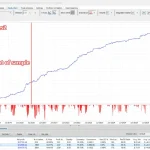
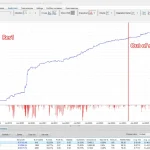
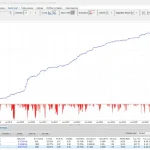
According to the supplied product documentation, SomaOil MT5 was developed through multiple optimization stages using two complementary in-sample and out-of-sample research ranges.
These ranges were intended to evaluate candidate strategies across different historical periods rather than relying exclusively on the data used for optimization.
Two Complementary Optimization Ranges
The documented research periods are:
Res1
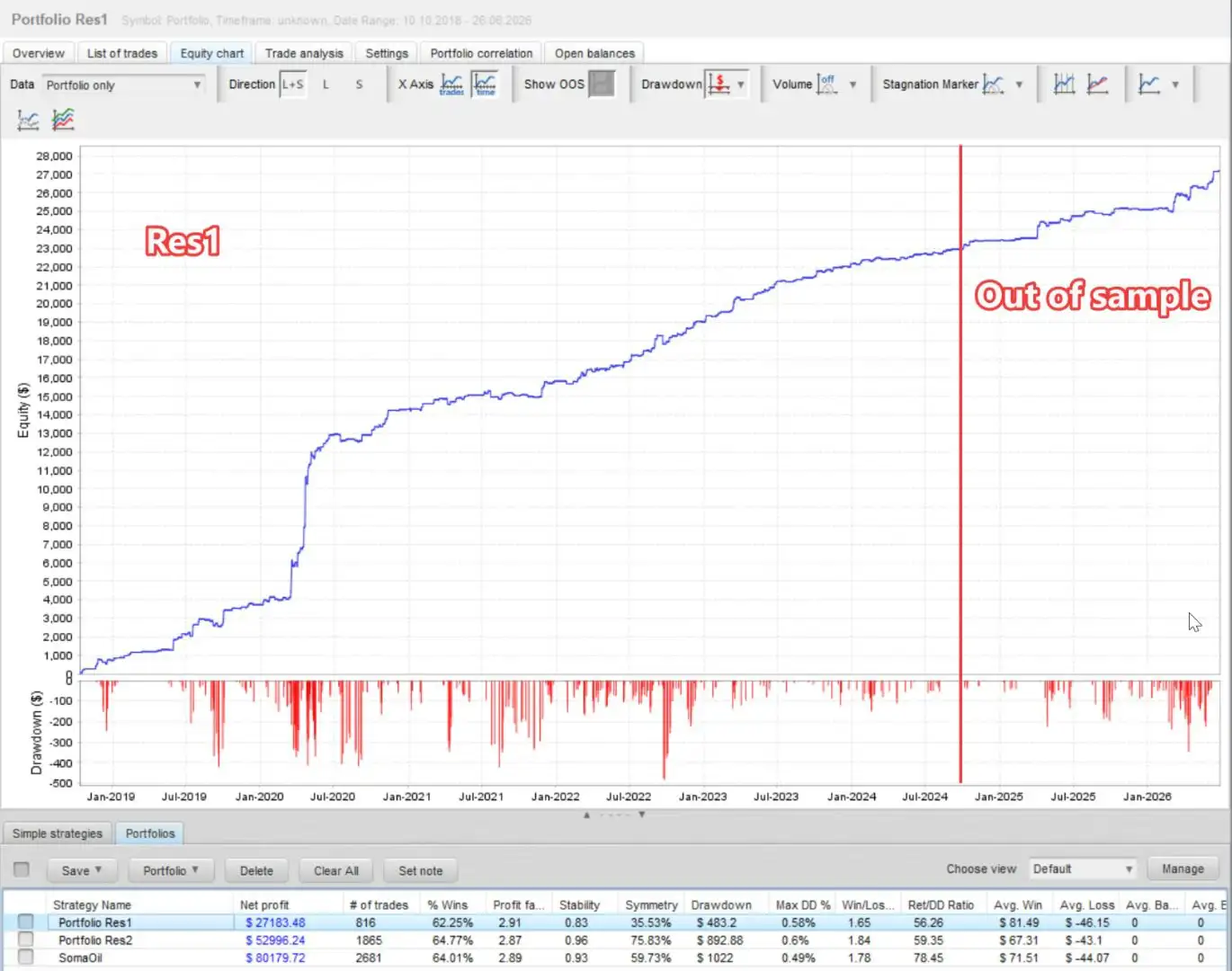
- In-sample optimization: October 10, 2018 – October 10, 2024
- Out-of-sample evaluation: October 10, 2024 – June 26, 2026
Res2
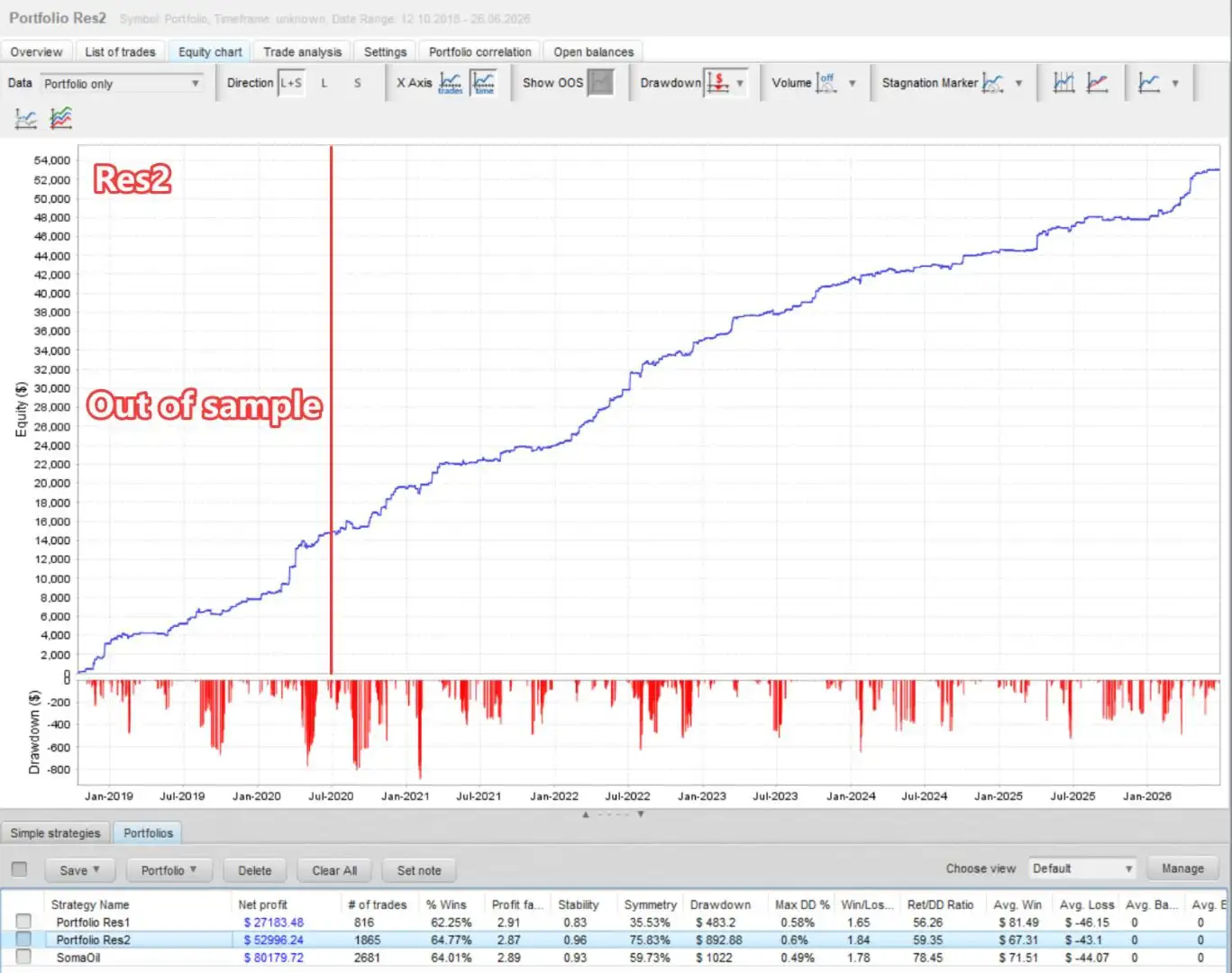
- In-sample optimization: June 26, 2020 – June 26, 2026
- Out-of-sample evaluation: October 10, 2018 – June 26, 2020
These ranges provide complementary historical evaluation windows. Their purpose is to assess candidate strategy configurations against periods outside their respective in-sample optimization ranges.
The dates and methodology above reflect the supplied product description and should be checked against the original testing reports before making investment decisions.
Return-to-Drawdown Optimization
The strategy configurations were reportedly assessed using two optimization objectives:
- Return / Balance DD: Evaluates return relative to balance drawdown.
- Return / Equity DD: Evaluates return relative to equity drawdown.
Balance drawdown and equity drawdown represent different aspects of account performance. Equity drawdown can include unrealized losses on open positions, making it relevant when evaluating the combined exposure of a multi-strategy automated trading system.
Considering both measures can provide a broader view of how a strategy behaves during periods of account decline.
Strategy Selection and Filtering
According to the supplied specifications, candidate strategies were screened using several criteria:
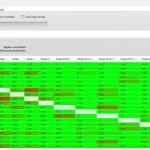
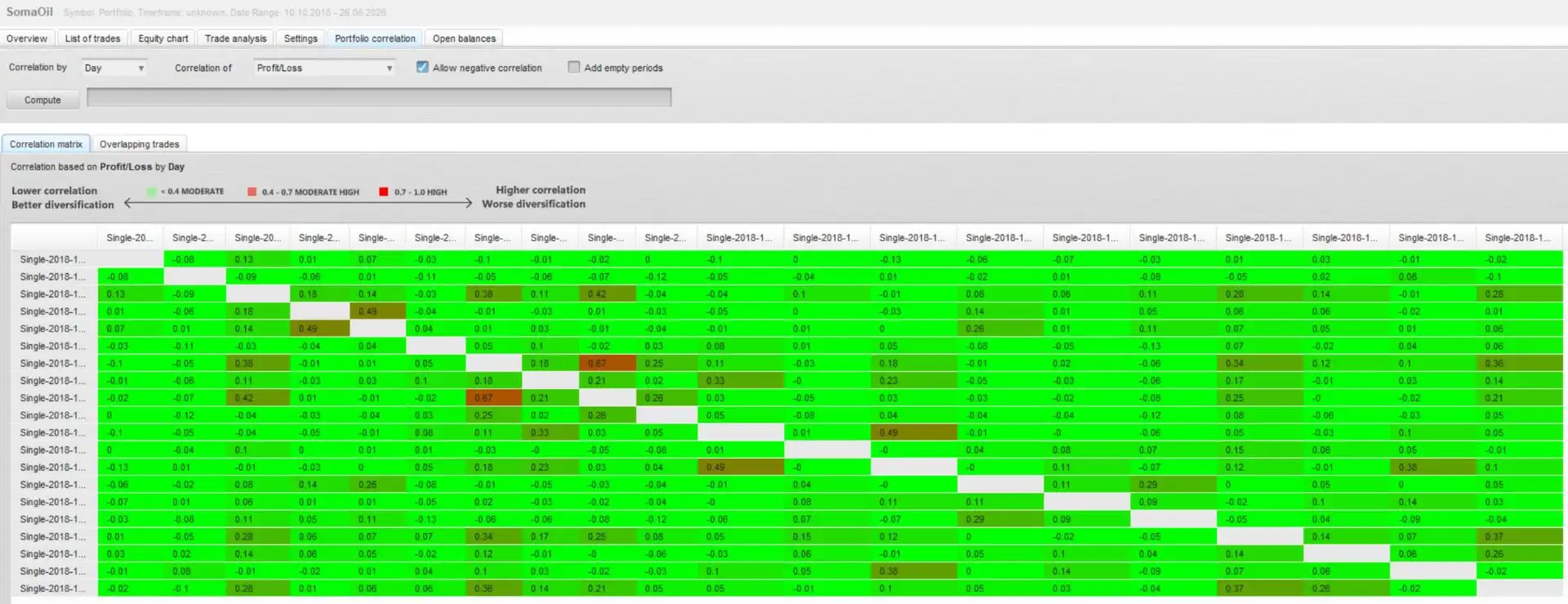
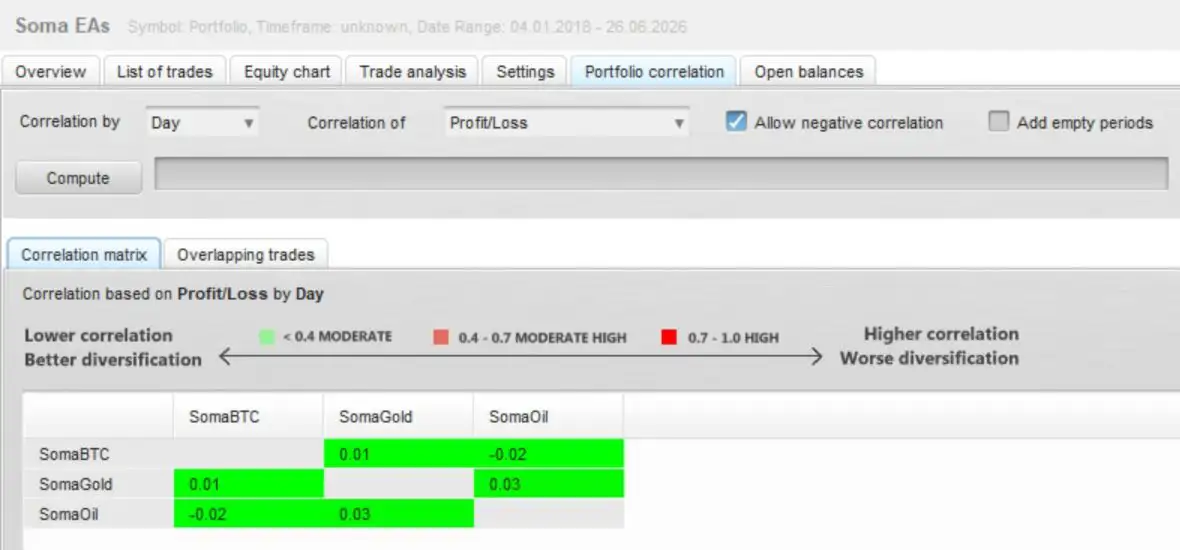
- Correlation filtering: Candidates considered excessively correlated with retained strategies were excluded.
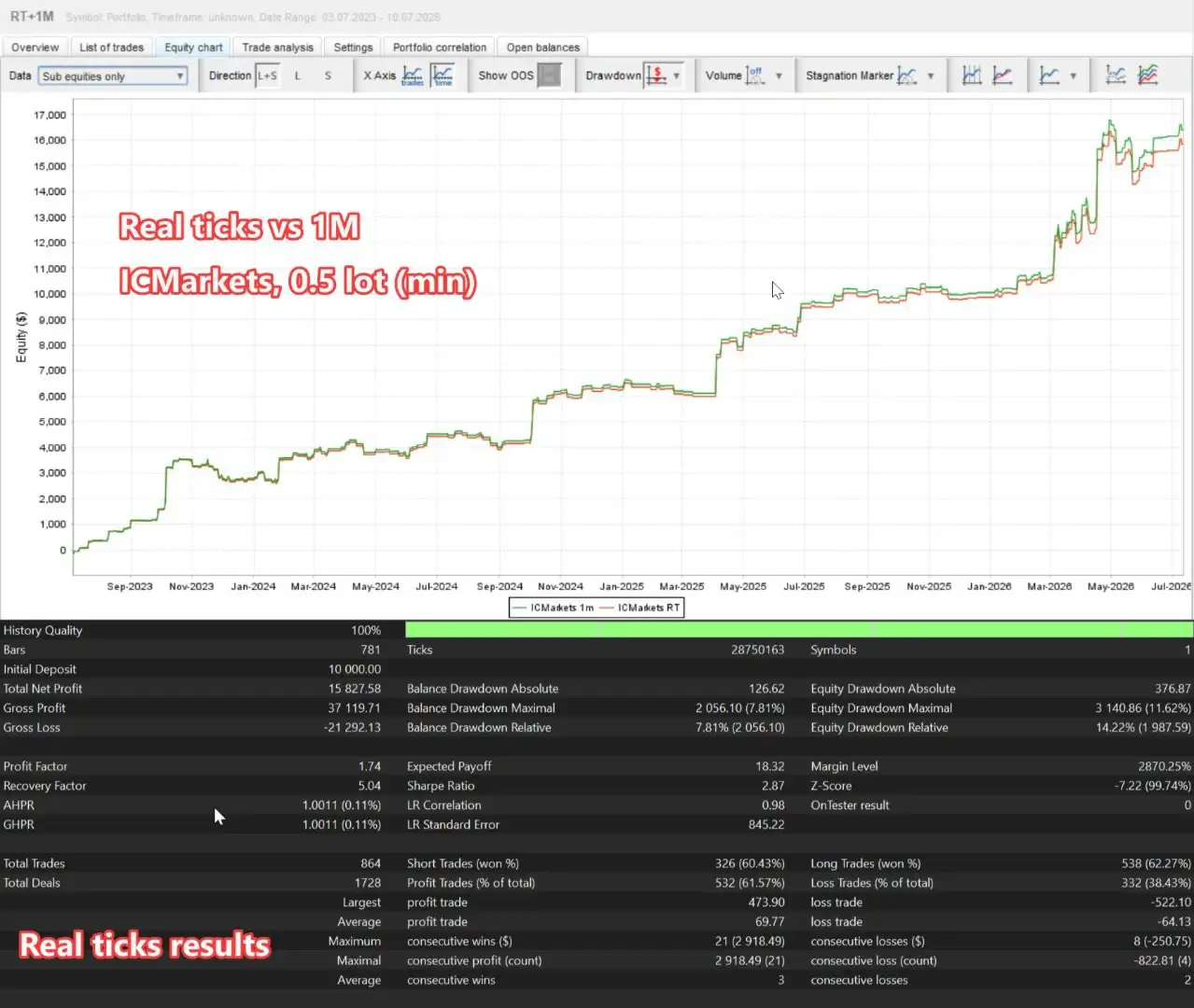
- Real-tick consistency: Strategies that failed the stated real-tick testing requirements were removed.
- Out-of-sample evaluation: Candidates that did not meet the designated out-of-sample criteria were excluded.
- Weekend exposure considerations: Friday trading closure was enabled during the reported optimization process.
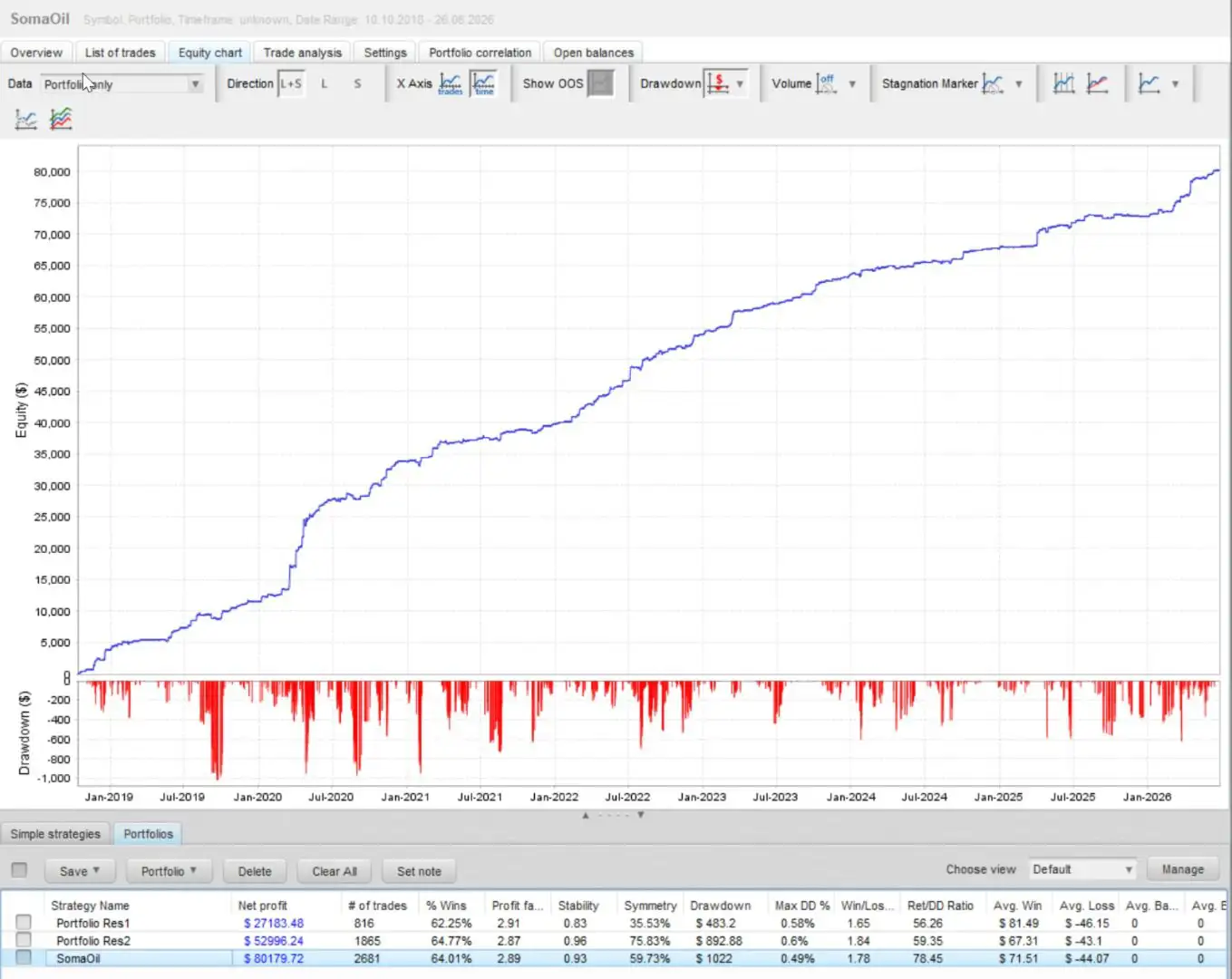
The final portfolio reportedly contains 20 strategies: seven from Res1 and 13 from Res2.
Final Portfolio Distribution
– D1
- Res1: 1
- Res2: 2
- Total Strategies: 3
– H12
- Res1: 1
- Res2: 4
- Total Strategies: 5
– H8
- Res1: 0
- Res2: 2
- Total Strategies: 2
– H4
- Res1: 2
- Res2: 4
- Total Strategies: 6
– H1
- Res1: 3
- Res2: 1
- Total Strategies: 4
– Total
- Res1: 7
- Res2: 13
- Total Strategies: 20
These portfolio-development details are based on the supplied product specifications; the underlying test results have not been independently verified here. Backtests are sensitive to historical data quality, spreads, commissions, swaps, slippage, contract specifications, and testing assumptions. Past performance does not guarantee future results.
Python-Based Portfolio Allocation
The developer describes the final strategy allocations as the result of a proprietary Python-based portfolio optimization process.
This process evaluates return relative to equity drawdown and can incorporate optional drawdown limits for individual strategies. Strategies with more closely correlated drawdown behavior may receive smaller lot allocations, while those assessed as making more favorable contributions to the portfolio may receive larger allocations.
Rather than assigning an identical lot size to every strategy, the allocation model distributes exposure according to its portfolio calculations.
Actual correlations and strategy contributions can change as crude oil market conditions evolve. Historical allocation behavior should therefore not be treated as a guarantee of future diversification or reduced losses.
Four SomaOil MT5 Portfolio Risk Presets
The SomaOilPortfolio parameter selects one of four built-in portfolio allocation presets. All four presets use the same 20 strategies, but their principal difference is the per-strategy LotPerBalance_step allocation.
V2.1 — Conservative
- Allocation approach: Balanced by equity drawdown
- Intended risk tier: Lowest of the three equity-balanced tiers
This preset is designed for traders evaluating the portfolio’s lower allocation tier relative to the other equity-drawdown-based options.
V2.2 — Medium
- Allocation approach: Balanced by equity drawdown
- Intended risk tier: Medium equity-drawdown tier
This option provides an intermediate allocation configuration within the equity-balanced preset group.
V2.3 — High Risk
- Allocation approach: Balanced by equity drawdown
- Intended risk tier: Highest of the three equity-balanced tiers
This preset represents the highest intended allocation tier among V2.1, V2.2, and V2.3. Higher exposure can increase potential losses as well as potential gains.
V1.0 — Balanced by Balance
- Allocation approach: Original balance-drawdown-based allocation
- Intended purpose: Comparison and parity testing
V1.0 retains the earlier balance-drawdown allocation model, allowing traders to compare it with the newer equity-drawdown-based presets.
These preset names describe intended allocation tiers, not guaranteed drawdown limits or maximum-loss thresholds. Actual losses may exceed historical or expected levels.
The optional ManualBalanceForLotSizing parameter allows traders to use a fixed capital reference for position sizing. This can help compare configurations across accounts, but actual exposure still depends on account currency, oil contract specifications, leverage, margin requirements, and simultaneous positions.
Automated Lot Sizing and Risk Management
SomaOil MT5 includes several settings for controlling trade volume and adjusting exposure to available capital. Understanding these parameters is important before using the EA in a live trading environment.
Fixed Lot Sizing and Automatic Capital-Based Sizing
Two primary sizing modes are available:
- Manual fixed-lot sizing: Uses a configured lot value through StartLots.
- Automatic LotSizeStep sizing: Calculates trade volume based on account capital and the allocation assigned to each strategy.
The AdjustLotsizeToVariableValues parameter allows lot calculations to respond to changes in balance or equity, depending on the selected configuration. The LotsAdjustMinChangePercent setting defines the minimum percentage change required before the active lot size is updated.
According to the supplied specifications, the minimum calculated trade size is 0.01 lots. This restriction means smaller accounts may be unable to reduce exposure sufficiently, even when a lower risk level is desired.
RiskMultiplier: Adjusting Portfolio Exposure
The RiskMultiplier parameter scales the calculated lot size across the EA.
Increasing this multiplier can increase trade volume and market exposure. Reducing it can lower the configured position size, subject to minimum-volume restrictions and other sizing controls.
Neither a lower multiplier nor a particular preset guarantees a specific return, drawdown, or maximum loss.
MaxLots: Optional EA-Level Lot Limit
The MaxLots parameter establishes an optional maximum lot size at the EA level when set above zero.
A value of zero means that this parameter does not impose an EA-level maximum. Broker volume restrictions, margin requirements, and other applicable trading constraints still apply.
Traders should assess how MaxLots interacts with individual strategy allocations and the total exposure from concurrent pending and open positions.
UseEquity and OnlyUp
The UseEquity parameter determines whether equity rather than balance is used as the reference for lot sizing.
The optional OnlyUp mode allows position sizing to increase as the tracked peak capital rises, without automatically reducing the lot size during trading drawdowns.
According to the supplied documentation:
- Withdrawals reduce the tracked sizing peak.
- Deposits increase the tracked sizing peak.
- Both events trigger peak synchronization and pending-lot rebalancing.
- RestorePeakFromHistory and RestorePeakLookbackDays configure the restoration of the peak reference from closed-trade history when the EA starts.
A value of zero for RestorePeakLookbackDays means all available history is considered, according to the supplied parameter description.
Important risk consideration: OnlyUp is not a drawdown-protection mechanism. If account capital declines after lot sizes have increased, exposure may remain comparatively high. Traders should understand this behavior before enabling the feature.
Broker-Aware Position Sizing and Base Currency
SomaOil MT5 uses money-based normalization through OrderCalcProfit, with a documented baseline reference of 1,000, to help standardize position sizing across different brokers and account types.
The dashboard displays the contract normalization factor as Contract Norm.
The BaseCurrency parameter supports USD, EUR, GBP, HKD, SGD, or a custom currency configuration. When a custom currency is selected, CustomBaseCurrencyPair identifies the broker symbol used for conversion.
These options are intended to make position sizing more adaptable to different account currencies and trading environments. Actual exposure can still vary due to differences in oil contract specifications, symbol properties, currency conversion rates, leverage, and execution conditions.
MarginCallProtection: Managing Potential Margin Requirements
According to the supplied specifications, MarginCallProtection is enabled by default.
Before placing additional orders, this feature considers the potential margin requirements of existing same-direction pending stop or limit orders, including situations where a broker reserves little margin for pending orders.
The EA can adjust calculated lot sizes to help keep potential concurrent same-side orders within a configured margin budget linked to the sizing reference.
The McpRiskMultiplier parameter adjusts the risk level used in the margin-protection lot calculation. A value of 1.0 represents the documented default multiplier.
These controls are intended to help manage planned margin usage, but they cannot guarantee protection against margin calls, gaps, slippage, rapid price movements, changes in broker margin requirements, or unexpected market conditions.
Built-In US Economic News Filter
WTI crude oil prices can respond to economic data releases, interest-rate expectations, and developments across financial markets. SomaOil MT5 includes configurable news filters for three categories of US events:
- NFP: Non-Farm Payrolls
- CPI: Consumer Price Index
- IR / FOMC: Interest-rate decisions and Federal Open Market Committee events
Depending on the configuration, the EA can block new entries, cancel pending orders, or close existing positions around eligible news events.
Each strategy has its own configurable protection window in minutes before and after an event. This allows different strategies to use different news-protection schedules rather than applying one identical window to all 20 strategies.
Automatic GMT Detection
SomaOil MT5 supports manual broker GMT offsets for summer and winter, as well as automatic time detection through AutoGMT.
Correct time alignment helps ensure that news filters correspond to the broker’s server time, including seasonal clock changes. The supplied product description also states that the event classifier filters certain false matches, such as ADP Nonfarm Employment and FOMC speeches or minutes.
When using AutoGMT, the setup instructions specify adding the following URLs to the allowed URL list in MetaTrader 5 under Tools → Options → Expert Advisors:
- https://ea-license-server.somatrade.org
- https://www.worldtimeserver.com/
Users should verify URL permissions, broker-time detection, and news-event timing in their own trading terminal.
A news filter cannot anticipate every market-moving announcement or eliminate gaps, fast price movements, and slippage. Closing positions around an event can also change realized trading results.
Spread Filter for WTI Breakout Pending Orders
WTI trading spreads can widen around market rollover, economic announcements, and periods of reduced liquidity. SomaOil MT5 includes an optional spread filter designed to restrict pending-order placement and remove pending orders when spreads remain above a configured threshold.
The filter applies to pending-order handling. Once a position is open, the EA’s regular exit rules—including stop loss, take profit, trailing stop, and break-even logic—continue to operate according to their configured settings.
MaxSpreadPips
The MaxSpreadPips parameter defines the permitted spread using the EA’s normalized MT5 point convention for supported WTI symbols. The documented default is 80, while setting the parameter to zero disables the spread filter.
For a three-digit WTI quote, the spread is measured in MT5 points. For example, 50 points correspond to approximately 0.050 in quoted price difference under the documented convention.
The implementation also normalizes the setting for supported two-digit and three-digit oil symbols. The effective threshold is scaled according to each strategy’s built-in DefaultValue and the current oil reference price.
RemovePendingSpreadSeconds
The RemovePendingSpreadSeconds parameter defines how long the spread must remain above the configured threshold before the EA removes the relevant strategy’s pending orders. The documented default is 60 seconds.
The spread filter operates in two stages:
- Pending-order placement gate
If the spread is too wide at a strategy’s entry-timing bar, the EA does not place new pending orders or refresh the relevant order levels. Existing pending orders can remain in place during brief spread spikes.
- Removal after sustained high spreads
If the spread stays above the threshold for the entire configured grace period, the EA removes that strategy’s pending orders. The timer resets when the spread falls below the threshold.
Setting RemovePendingSpreadSeconds to zero disables automatic removal of existing pending orders due to sustained high spreads, while preserving the placement gate if the spread filter remains enabled.
This feature is intended to manage pending-order placement under unfavorable spread conditions. It does not guarantee better execution prices or prevent slippage and losses on open trades.
Configurable Weekly Trading Hours
SomaOil MT5 includes an optional weekly schedule that defines when the EA may operate between Monday’s opening time and Friday’s closing time.
The UseTradingTimeZones parameter enables this schedule. Traders can configure the following settings using broker server time:
- MondayOpenHour
- MondayOpenMinute
- FridayCloseHour
- FridayCloseMinute
Two additional parameters determine how orders are handled outside the permitted window:
- KillPending: Cancels pending orders outside the configured trading hours.
- KillOpen: Closes open positions outside the configured trading hours.
Some strategies also use built-in daily session windows as part of their portfolio presets. These strategy-specific session times are not separate user inputs.
Friday closure was enabled during the documented optimization process and is described as the default configuration. This is intended to reduce exposure to weekend gaps under the selected schedule, but unexpected price movements and gaps can still occur.
Closing open positions can also change realized results. Traders should understand the consequences of the selected schedule and the strategies’ exit behavior before enabling these options.
Optional Prop Firm Compliance Controls
SomaOil MT5 includes optional controls designed to help traders manage certain restrictions associated with funded trading accounts. According to the supplied specifications, the compliance layer is disabled by default.
These features do not certify the EA as compliant with any particular proprietary trading firm.
Entry and Exit Randomization
The MaxRandomizationPips parameter can introduce a small random pip offset to entry and exit prices. This is intended to create slight differences in execution levels between accounts running the same EA.
The feature may be relevant when evaluating automated trading in funded-account environments, but it does not guarantee acceptance by a prop firm or compliance with its execution policies.
Daily Drawdown and Order Restrictions
When EnablePropFirmCompliance is activated, the EA can apply selected controls, including:
- PF_MaxDailyDrawdownPercent: Sets a maximum daily equity loss as a percentage of the daily baseline.
- PF_MaxDailyDrawdownMoney: Sets a maximum daily equity loss in the account currency.
- PF_DailyResetHour: Defines the broker-server hour for the daily monitoring reset.
- PF_DailyLossBufferPercent: Sets a configurable buffer before the hard daily loss threshold.
- PF_DisallowHedging: Blocks opposite-direction entries and removes opposite-side pending orders.
- PF_MaxTotalPendingOrders: Limits the total number of pending orders maintained by the EA.
Where specified, setting a numeric threshold or cap to zero disables that particular limit.
Before using SomaOil MT5 in a funded-account evaluation, review the provider’s current rules on automated trading, news trading, hedging, daily drawdown, pending orders, and trade execution. Rules can differ between firms and may change over time.
These parameters are configurable risk-management tools, not a guarantee of prop firm approval.
SomaOil MT5 On-Chart Trading Dashboard
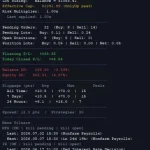
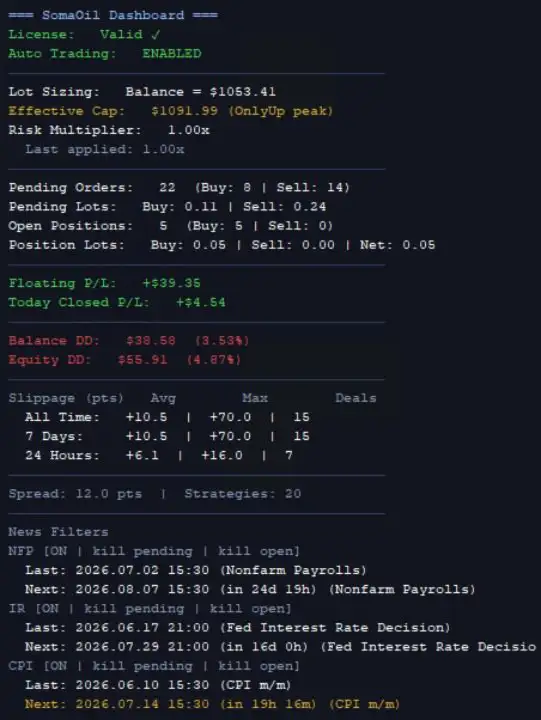
SomaOil MT5 includes a live dashboard that provides a consolidated view of the portfolio, current exposure, account statistics, and selected market conditions.
Depending on the display configuration, the dashboard can show:
- License status and active portfolio preset.
- Lot-sizing reference, effective capital, and contract normalization factor.
- Risk multiplier and the effective multiplier when margin protection reduces position size.
- Margin protection status, current per-order lot ceiling, and margin budget.
- Warnings when margin protection reduces permitted trade volume.
- Buy-side and sell-side pending orders and open positions.
- Floating profit or loss and today’s closed profit or loss.
- Balance and equity drawdown in monetary and percentage terms.
- Historical trading costs, including slippage, swaps, and commissions.
- Trading-cost summaries for 1-day, 7-day, 30-day, 90-day, and all-time periods.
- All-time closed profit and loss.
- Pending-order usage and applicable broker limitations.
- Current spread and active strategy count.
- Upcoming and previous NFP, CPI, and IR/FOMC events.
Dashboard visibility can be configured separately for testing and live or demo charts.
- DisableDashboardInTesting: Hides the dashboard in Strategy Tester; the documented default is on.
- DisableDashboardInLive: Hides the dashboard on live or demo charts; the documented default is off.
- DashboardUpdateSeconds: Sets the dashboard refresh interval in seconds.
The dashboard is intended for monitoring and analysis. Broker statements and transaction records should also be reviewed when verifying actual execution costs and trading results.
Magic Numbers and Strategy Identification
By default, each SomaOil MT5 strategy uses a unique eight-digit magic number. These identifiers help MetaTrader distinguish trades opened by individual EA strategies from manual orders and trades associated with other Expert Advisors.
The magic number also encodes information about the strategy configuration.
For example, the documented identifier 81241201 represents the following:
- First digit: EA family; 8 identifies SomaOil.
- Second digit: Optimization range; 1 represents Res1 and 2 represents Res2.
- Third and fourth digits: Swing timeframe in hours; 01 for H1, 04 for H4, 08 for H8, 12 for H12, and 24 for D1.
- Fifth digit: Breakout width; 1 for Broad, 2 for Medium, and 3 for Narrow.
- Sixth digit: Optimization target; 1 for Balance DD and 2 for Equity DD.
- Seventh and eighth digits: Original set-file identifier from the research batch.
This structure makes it easier to identify which strategy initiated a trade by reviewing order and position details.
The optional EnableMagicOverride parameter allows custom identifiers based on OverrideMagicBase and the strategy index. The EnableCommentOverride and OverrideComment parameters allow trade comments to be customized.
Changing trade identifiers requires care. Users should understand how the EA associates positions with individual strategies before modifying identifiers, particularly when trades are already open.
Main SomaOil MT5 Configuration Parameters
SomaOil MT5 provides configuration options for portfolio selection, trade direction, position sizing, broker time, news protection, spread filtering, trading sessions, and optional funded-account controls.
- SomaOilPortfolio: Selects one of the four built-in lot-allocation presets.
- StrategiesToRun: Selects active strategies using comma-separated numbers from 1 to 20.
- EnableMagicOverride: Enables custom strategy magic numbers.
- OverrideMagicBase: Sets the starting identifier when magic override is enabled.
- EnableCommentOverride: Enables a shared custom trade comment.
- OverrideComment: Sets the custom comment text.
- AllowBuyTrades / AllowSellTrades: Enables or disables long and short trading.
- Risk: Selects manual fixed-lot sizing or capital-based LotSizeStep sizing.
- StartLots: Sets the manual lot size or the floor reference in step mode.
- LotsAdjustMinChangePercent: Sets the minimum percentage change before an active lot size is updated.
- AdjustLotsizeToVariableValues: Allows recalculation as balance or equity changes.
- MaxLots: Sets an optional EA-level lot cap.
- UseEquity: Uses equity instead of balance as the sizing reference.
- OnlyUp: Allows sizing to rise with tracked peak capital without automatically decreasing.
- RestorePeakFromHistory: Restores the OnlyUp reference peak from recent closed-trade history.
- RestorePeakLookbackDays: Sets the history lookback period; zero means all available history.
- ManualBalanceForLotSizing: Sets a fixed sizing-capital reference when above zero.
- RiskMultiplier: Scales calculated position size.
- MarginCallProtection: Applies margin-budget checks and related lot adjustments.
- McpRiskMultiplier: Adjusts the margin-protection lot-size risk multiplier.
- BaseCurrency: Sets the supported or custom currency reference.
- CustomBaseCurrencyPair: Specifies the broker conversion symbol for custom currency configurations.
- AutoGMT: Enables automatic broker GMT detection.
- Broker_GMT_OFFSET_Summer / Broker_GMT_OFFSET_Winter: Sets manual seasonal GMT offsets.
- EnableNFP_Filter / EnableCPI_Filter / EnableIR_Filter: Enables the corresponding news-protection filters.
- News Close Settings: Determines whether selected positions or pending orders are closed or cancelled around events.
- UseTradingTimeZones: Enables the Monday-to-Friday schedule.
- KillPending / KillOpen: Controls order handling outside permitted trading hours.
- MaxSpreadPips: Sets the permitted spread threshold for pending-order handling.
- RemovePendingSpreadSeconds: Sets the sustained-high-spread removal delay.
- EnablePropFirmCompliance: Activates the optional funded-account control layer.
- MaxRandomizationPips: Sets entry and exit randomization.
- PF_MaxDailyDrawdownPercent / PF_MaxDailyDrawdownMoney: Sets optional daily equity-loss limits.
- PF_DailyResetHour: Defines the broker-time daily reset.
- PF_DailyLossBufferPercent: Sets the buffer before the daily threshold.
- PF_DisallowHedging: Applies the configured no-hedging rule.
- PF_MaxTotalPendingOrders: Limits pending-order count.
- DisableDashboardInTesting / DisableDashboardInLive: Controls dashboard visibility.
- DashboardUpdateSeconds: Sets the dashboard refresh interval.
The StrategiesToRun parameter accepts comma-separated, one-based strategy numbers from 1 to 20. This allows traders to isolate selected strategies during testing.
Changing the active strategy selection requires particular care. Disabled strategies may stop managing their associated trades, so existing positions should be reviewed and handled appropriately before changing the active strategy list.
Recommended Setup for SomaOil MT5
The following setup guidance reflects the supplied product specifications. It is an initial configuration reference, not a guarantee that the EA will be suitable for a particular account.
- Trading instrument: WTI crude oil, commonly listed as XTIUSD or a supported broker-specific symbol.
- Trading platform: MetaTrader 5.
- Chart timeframe: Any supported timeframe, because the EA reads its strategy timeframes internally.
- Account type: An ECN or RAW-spread account may be worth considering where competitive spreads are available.
- Suggested starting balance: USD 2,000 for the documented default risk configuration.
- Hosting: A VPS is recommended for stable operation throughout the broker’s trading week.
- GMT and licensing URLs: Add the required URLs to the MT5 allowed list when specified by the product setup instructions.
Supported WTI and Crude Oil Symbols
Depending on the broker, WTI or US crude oil may appear under different instrument names, including:
- XTIUSD
- USOUSD
- s
- USOIL
- WTI
- SpotCrude
According to the supplied specifications, SomaOil MT5 accepts symbols beginning with XTIUSD, USOUSD, USOIL, WTI, SpotCrude, or CRUDE, including supported broker suffixes such as .s or m.
If your broker uses another symbol, search the MetaTrader 5 Market Watch for WTI, crude, oil, or USO. Confirm the correct instrument and its contract specifications before attaching the EA.
Why the Suggested USD 2,000 Starting Balance Matters
The supplied documentation recommends a minimum starting balance of USD 2,000 for the default risk configuration. This figure is a recommendation, not a guarantee of sufficient margin, acceptable drawdown, or suitability for every trader.
The stated minimum calculated lot size is 0.01 lots per trade. As a result, accounts below the suggested balance may be unable to reduce position sizes further, even when lower exposure would otherwise be preferable.
Before deploying the EA with real funds, verify the broker’s oil contract size, minimum trading volume, leverage, margin requirements, spread behavior, and potential exposure from concurrent positions.
Installation and Pre-Live Checklist
Before using SomaOil MT5 on a live account, consider the following steps:
- Install SomaOil MT5 in MetaTrader 5 and enable the required automated-trading permissions.
- Select the correct WTI or crude oil symbol provided by your broker.
- Choose a portfolio preset and review its strategy allocation settings.
- Configure the sizing mode, capital reference, RiskMultiplier, and any MaxLots
- Review margin-protection behavior and estimate the margin required for concurrent orders.
- Configure GMT detection and economic news filters, then verify event timing.
- Review the weekly trading schedule, daily session behavior, and spread-filter thresholds.
- Test the EA in Strategy Tester and on a demo account using realistic execution costs.
- Examine drawdown, spread sensitivity, pending-order behavior, and trade management when strategy selections change.
- Confirm compatibility with applicable broker requirements and funded-account rules before risking real capital.
Testing should include realistic spreads, commissions, swaps, slippage assumptions, and the broker’s actual contract specifications.
Who Should Consider SomaOil MT5?
SomaOil MT5 may interest traders who:
- Want to explore algorithmic WTI crude oil trading on MetaTrader 5.
- Prefer a portfolio of breakout configurations rather than one trading setup.
- Want to operate a 20-strategy portfolio from a single chart.
- Need configurable lot sizing and multiple portfolio allocation presets.
- Value filters for selected US economic news events.
- Want spread-aware handling of oil breakout pending orders.
- Prefer an on-chart dashboard for monitoring positions, drawdown, and trading costs.
- Need optional controls for managing certain funded-account restrictions.
- Are prepared to test, monitor, and maintain an automated trading system with multiple interacting strategies.
The EA requires careful configuration and ongoing monitoring. It may not be appropriate for traders who expect guaranteed returns, do not understand automated trading behavior, or cannot tolerate the potential losses associated with leveraged crude oil trading.
A multi-strategy design can diversify entry conditions, but it cannot eliminate shared market risk or ensure better performance.
Final Overview: Evaluating SomaOil MT5 for Automated Oil Trading
SomaOil MT5 is a multi-strategy WTI crude oil breakout Expert Advisor for MetaTrader 5. It combines 20 selected strategies in one chart-based system, using five internal timeframes, three breakout-width variants, and four portfolio allocation presets.
Additional features include automatic position sizing, margin-management controls, US economic news filters, an optional pending-order spread filter, configurable trading hours, a live monitoring dashboard, and optional funded-account risk controls.
According to the supplied product description, the strategy portfolio was developed using two complementary optimization ranges and corresponding out-of-sample evaluation periods covering historical data from October 2018 through June 2026. The reported methodology and selection process should be assessed against the underlying test reports before the EA is used with real money.
For traders evaluating automated crude oil trading, the key considerations are understanding the portfolio settings, verifying the broker’s instrument specifications, measuring combined position and margin exposure, and testing the EA under realistic execution conditions.
Historical testing and portfolio diversification can inform the evaluation process, but neither guarantees future profitability or prevents substantial losses.
Risk Disclaimer
Trading WTI crude oil and other leveraged financial instruments involves substantial risk and may result in the loss of some or all of your trading capital. Oil prices can change sharply in response to supply and demand developments, inventory reports, geopolitical events, economic announcements, and changes in market liquidity.
Breakout strategies can produce false signals, and multiple strategies may become correlated and experience losses at the same time. Portfolio presets, lot-sizing controls, margin protection, spread filters, news filters, trading-hour restrictions, and daily drawdown controls cannot eliminate all trading risks or guarantee a maximum loss.
Pending-order management does not prevent slippage on open positions. Market gaps and rapid price movements may cause trades to execute at prices different from those requested. Historical tests and backtested results do not guarantee future performance.
Test SomaOil MT5 in an appropriate demo environment, understand its settings and limitations, and verify that the configuration is suitable for your circumstances. Only trade with capital you can afford to lose.


Reviews
There are no reviews yet.