



SomaGold MT5 Review: Multi-Strategy Gold Breakout EA for MetaTrader 5
What Is SomaGold MT5?
SomaGold MT5 is a multi-strategy Gold trading Expert Advisor (EA) developed for the MetaTrader 5 (MT5) platform. Designed specifically for XAUUSD, this automated trading system combines 32 selected breakout strategies within a single EA, allowing traders to manage multiple trading approaches from one chart.
Instead of depending on a single entry method, SomaGold MT5 integrates strategies built around different internal timeframes, swing ranges, and trading configurations. Each strategy follows its own predefined rules for identifying breakouts, managing entries and exits, applying economic news filters, and calculating position sizes.
The EA uses a shared execution engine to coordinate its selected strategies. This structure gives traders access to a multi-strategy Gold trading system without requiring a separate Expert Advisor for every strategy.
SomaGold MT5 also includes configurable risk controls, automated position sizing, margin-management features, a US economic news filter, and an on-chart dashboard for monitoring account activity.
Key Features of SomaGold MT5
- 32 selected Gold breakout strategies managed through one EA.
- Four internal timeframe groups: D1, H12, H8, and H4.
- Three breakout variants: Broad, Medium, and Narrow.
- Multiple historical optimization configurations used during strategy development.
- Portfolio-based lot allocation designed to account for relationships between strategies.
- Flexible position sizing using fixed lots or capital-based calculations.
- RiskMultiplier and MaxLots settings for adjusting position size and applying an optional lot cap.
- MarginCallProtection to help manage planned margin usage.
- US economic news filters for NFP, CPI, and IR/FOMC events.
- Configurable weekly trading hours with Monday opening and Friday closing settings.
- Optional prop firm risk controls, including daily drawdown limits and pending-order restrictions.
- Live trading dashboard displaying positions, drawdown, costs, and selected market information.
- Account-currency configuration for supported currencies and custom conversion settings.
These features provide extensive configuration options, but the EA’s actual trading behavior and risk exposure depend on its settings, broker conditions, and market environment.
How the 32-Strategy Portfolio Works
Gold market conditions can change between trending, consolidating, and high-volatility phases. A breakout setup that behaves well in one environment may produce different results when volatility or market structure changes.
SomaGold MT5 uses a portfolio of 32 selected strategies to combine different breakout configurations rather than relying entirely on one trading model.
Four Internal Timeframe Groups
The strategy portfolio includes four timeframe groups:
- D1: Daily timeframe strategies.
- H12: 12-hour timeframe strategies.
- H8: 8-hour timeframe strategies.
- H4: 4-hour timeframe strategies.
Each group uses its own strategy configuration. These internal timeframes are handled by the EA, so the chart timeframe on which the EA is attached does not necessarily determine the timeframe used by every strategy.
Three Breakout-Width Variants
Each timeframe group incorporates three breakout variants:
V1 – Broad: Uses wider swing ranges to identify broader breakout conditions. These settings may produce fewer qualifying setups, depending on market conditions.
V2 – Medium: Uses intermediate breakout ranges to provide a different balance between range width and setup frequency.
V3 – Narrow: Uses tighter swing ranges to identify more localized breakout conditions. Narrower ranges may also be more sensitive to short-term price fluctuations.
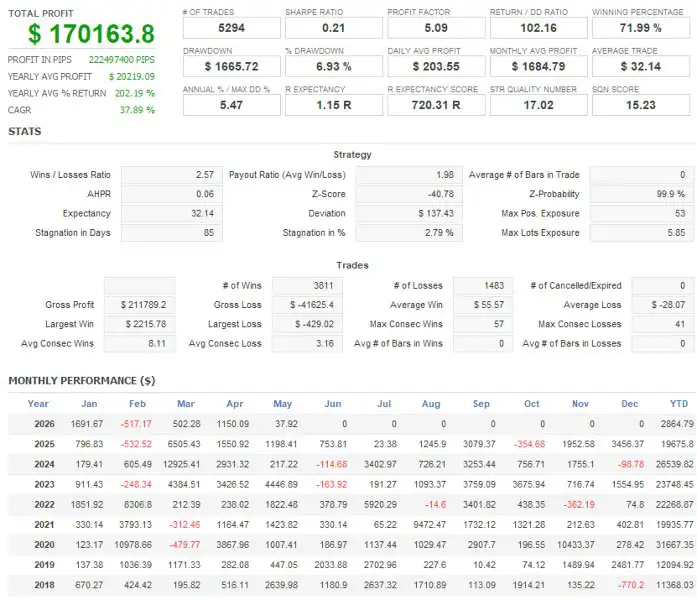
The development process reportedly evaluated 48 optimization configurations before selecting the 32 strategies included in the released portfolio.
Using different configurations may diversify trading logic, but it does not guarantee independent performance. Multiple strategies can still respond similarly to the same Gold price movements or experience losses simultaneously.
Strategy Optimization and Historical Testing
The developer describes a multi-stage process for selecting the strategies used in SomaGold MT5. The stated objective was to evaluate candidate configurations, remove unsuitable strategies, and construct a portfolio with different trading characteristics.
Multiple Optimization Periods
The reported optimization periods were:
- 2018–2023
- 2020–2025
The configurations were evaluated using return relative to balance drawdown and return relative to equity drawdown. These measures help assess historical returns alongside different ways of measuring account declines.
Correlation and Tick-Data Filtering
According to the product documentation, candidate strategies were reviewed using several selection criteria:
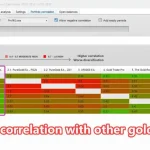
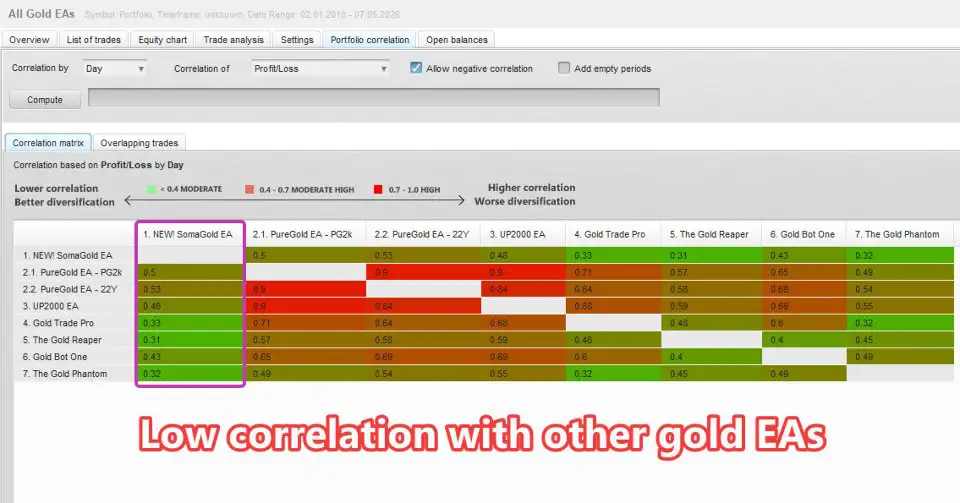
- Strategy correlation: Configurations with excessive similarity were excluded to support portfolio diversification.
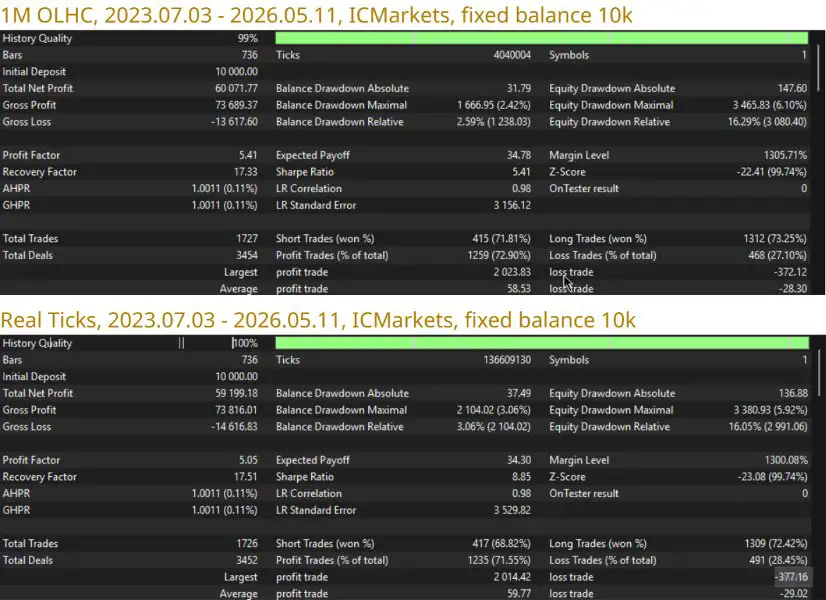
- Real-tick consistency: Strategies that did not meet the stated real-tick testing criteria were removed.
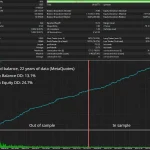
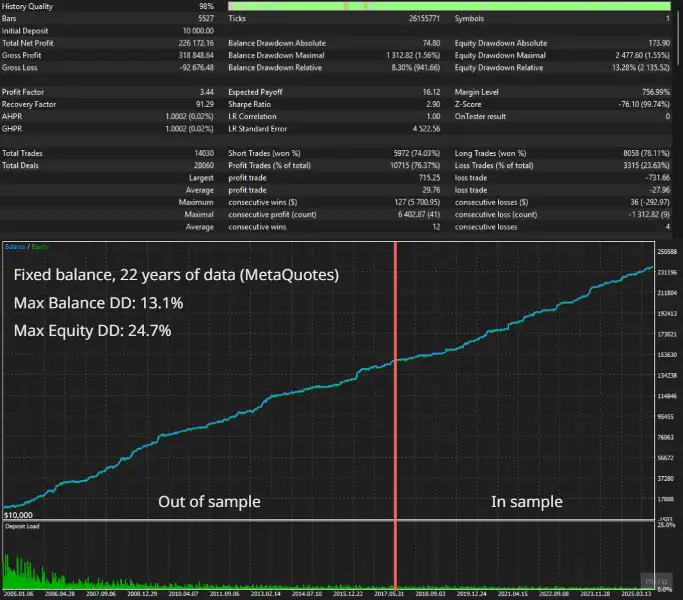
- Out-of-sample evaluation: Candidate strategies were assessed against the reported 2007–2018 out-of-sample period.
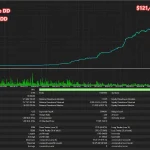
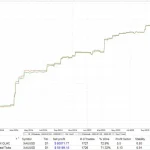
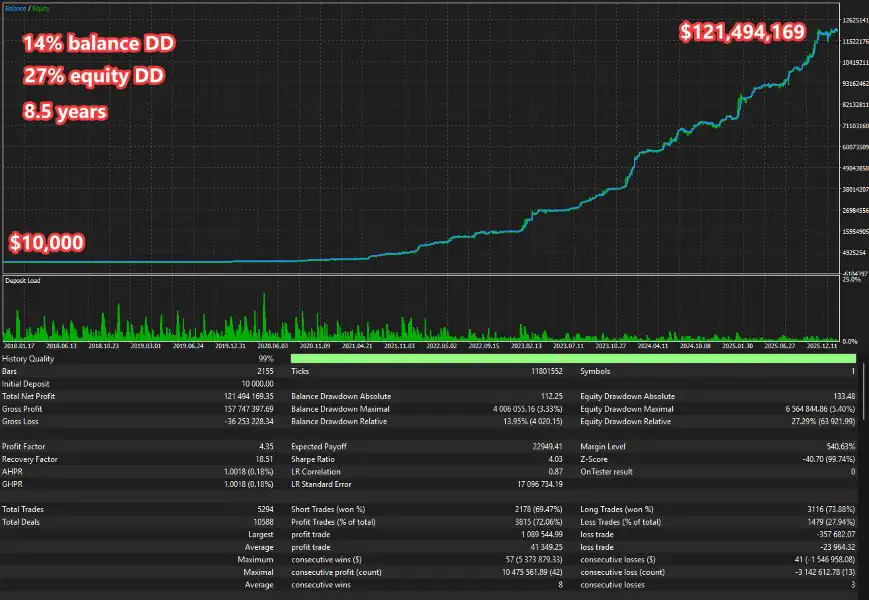
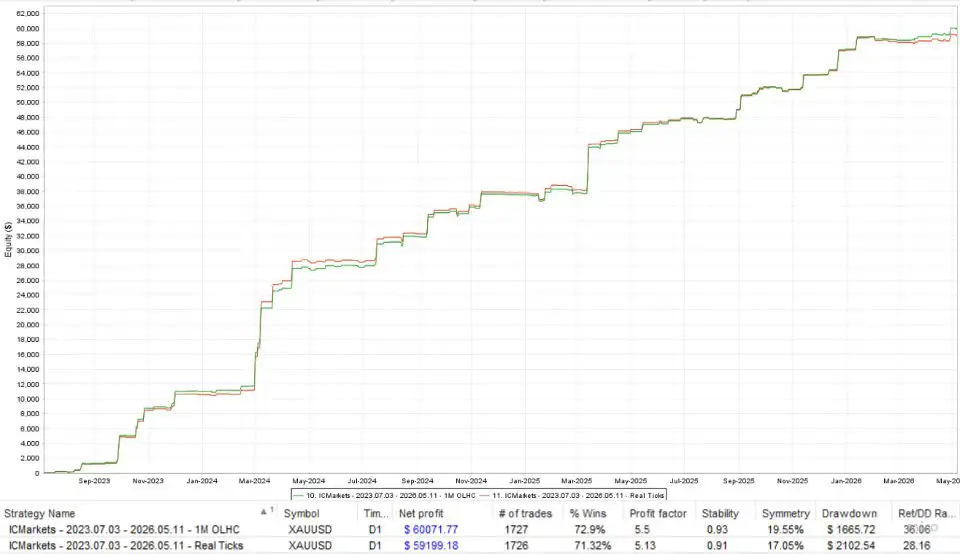
The developer states that the final 32-strategy portfolio passed these selection stages and remained profitable throughout the specified out-of-sample period without further tuning.
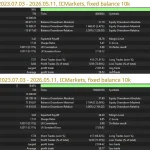
These results should be treated as developer-reported claims rather than independently verified evidence. Before using the EA with real funds, traders should review the underlying reports, tick-data quality, spread assumptions, commissions, swaps, slippage, execution settings, and testing methodology.
Historical results cannot establish how a strategy will perform in future markets.
Portfolio-Based Capital Allocation
SomaGold MT5 uses a Python-based allocation process, according to the supplied specifications. The process evaluates strategy returns in relation to balance drawdown and considers how strategies behave in combination.
Strategies with more similar drawdown behavior may receive smaller allocations, while strategies assessed as contributing more favorably to the portfolio may receive larger allocations.
This approach is intended to distribute exposure according to the selected portfolio model rather than assigning every strategy an identical lot size. Actual results will still depend on position overlap, changing correlations, market volatility, and execution costs.
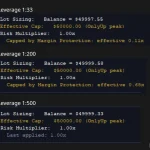
Automated Lot Sizing and Exposure Management
SomaGold MT5 provides several position-sizing settings that allow traders to adapt the EA to different account sizes and risk preferences.
Fixed Lot and Capital-Based Sizing
The EA supports two primary lot-sizing approaches:
- Manual Lot Size: Uses a specified fixed lot size for trades.
- Lot per Balance Step: Calculates position size based on account capital and the allocation assigned to each strategy.
Additional settings can adjust the calculated position size as the account balance or equity changes.
The appropriate configuration depends on the account’s available margin, leverage, Gold contract specifications, and the potential exposure created by simultaneous positions.
RiskMultiplier
The RiskMultiplier parameter scales the calculated lot size. Traders can use it to adjust the EA’s configured exposure without necessarily changing the underlying strategy selection.
Increasing this value can increase position size and potential losses. Reducing it may lower exposure, although it does not remove market risk or ensure that drawdown stays within a particular limit.
MaxLots
The optional MaxLots parameter sets an EA-level maximum lot size when configured above zero.
When set to zero, the EA does not apply its own maximum through this parameter. Broker-imposed volume limits and margin requirements continue to apply.
Traders should verify the actual volume calculation and the handling of simultaneous orders before selecting their live trading settings.
UseEquity and OnlyUp
The UseEquity setting determines whether the EA uses account equity rather than balance as the reference for position sizing.
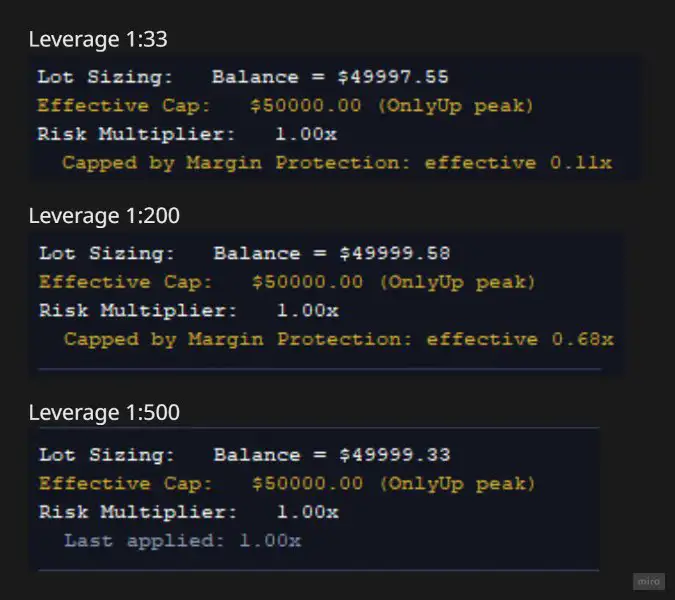
The optional OnlyUp mode allows lot sizes to increase as tracked peak capital rises without automatically decreasing them when capital falls. The EA can also restore its reference peak from recent closed-trade history during startup.
This behavior deserves particular attention: if account capital declines, previously increased lot sizes may remain comparatively high. OnlyUp should not be treated as a drawdown-protection feature.
MarginCallProtection
SomaGold MT5 includes a MarginCallProtection feature that is enabled by default according to the supplied specifications.
Its described functions include considering the potential margin requirements of existing same-direction pending orders before placing additional orders and adjusting calculated lot sizes to help keep concurrent same-side positions within a configured margin budget.
The McpRiskMultiplier parameter adjusts the risk level used in the related margin-protection lot calculation.
These mechanisms can help manage planned margin usage, but they cannot guarantee that sufficient free margin will remain during rapid price movements, spread widening, slippage, or adverse market conditions.
BaseCurrency Support
The BaseCurrency setting supports USD, EUR, GBP, HKD, SGD, or a custom currency configuration.
For a custom configuration, CustomBaseCurrencyPair identifies the broker symbol used for currency conversion.
This can help traders whose account currency differs from USD configure position sizing around their chosen currency reference. The accuracy of conversion calculations depends on the available broker symbols and the EA’s configuration.
Built-In US Economic News Filter for Gold
Gold prices can move sharply around inflation reports, employment releases, and central-bank announcements. SomaGold MT5 includes configurable filters for three categories of US economic events.
- NFP: Non-Farm Payrolls.
- CPI: Consumer Price Index.
- IR / FOMC: Interest-rate decisions and Federal Open Market Committee events.
Depending on the selected settings, the EA can block new entries, cancel pending orders, or close existing positions around specified events.
Each strategy has its own predefined news-protection windows. This allows different strategies to use different event schedules rather than requiring the entire portfolio to follow one identical window.
AutoGMT and Broker Time Settings
The EA supports automatic broker GMT detection and manual summer and winter GMT offsets. These settings are intended to help align news-filter windows with broker server time, including seasonal clock changes.
The supplied documentation also describes event classification intended to reduce false matches involving releases or announcements such as ADP employment data, FOMC speeches, and meeting minutes.
If using AutoGMT, traders must add the required time-server URL to MetaTrader 5’s allowed URLs, following the product’s installation instructions.
Correct time configuration is important. Users should verify that event times, broker server time, and filter behavior are aligned before allowing the EA to trade live.
A news filter cannot anticipate every market-moving event, prevent all unexpected volatility, or eliminate gaps and slippage. Closing a position around a news release can also result in an execution price different from the requested price.
Flexible Monday-to-Friday Trading Schedule
SomaGold MT5 includes an optional weekly trading schedule with configurable Monday opening and Friday closing times.
Using broker server time, traders can configure the EA to:
- Enforce a defined Monday-to-Friday trading window.
- Cancel pending orders outside the permitted period.
- Close open positions outside the permitted period.
Friday trading closure was enabled during the reported optimization process and is identified as the default in the supplied specifications.
This feature may help traders define when the EA can maintain or open exposure. However, closing positions before the weekend can alter realized results, and it does not eliminate gap risk or volatility during the rest of the trading week.
Review the selected schedule carefully to ensure it matches the broker’s trading hours and the intended strategy behavior.
Optional Prop Firm Risk Management Settings
SomaGold MT5 includes configurable controls that may help traders manage certain restrictions commonly found in funded-account programs.
Available settings include:
Maximum Daily Drawdown: Defines a daily equity-loss limit using a percentage or monetary amount.
Daily Reset Time: Specifies the broker-server hour at which daily monitoring resets.
Daily Loss Buffer: Allows a configured trigger level below the maximum permitted daily loss.
Hedging Restriction: Can block opposite-direction entries while the EA holds an open position and remove opposite-side pending orders.
Pending Order Limit: Restricts the number of pending orders maintained by the EA.
Entry and Exit Randomization: The MaxRandomizationPips parameter can introduce a small random pip offset to entry and exit prices.
When the configured daily drawdown threshold is breached, the EA is designed to close positions, delete pending orders, and block new entries until the daily monitoring window resets.
These functions may assist with managing selected account rules, but they do not establish compliance with any particular proprietary trading firm’s requirements. Actual behavior depends on the EA’s implementation, settings, broker execution, and the firm’s current policies.
Is SomaGold MT5 Suitable for FTMO or Other Funded Accounts?
Traders may wish to evaluate SomaGold MT5 for use with providers such as FTMO, FundedNext, The5ers, or E8. However, suitability must be checked individually.
Before deployment, review the provider’s current rules concerning automated trading, news trading, trade execution, daily drawdown, hedging, order limits, and any restrictions on trade randomization. Confirm that the EA’s behavior complies with the applicable account and evaluation conditions.
No built-in control can guarantee acceptance by a prop firm or prevent a rule breach in every circumstance.
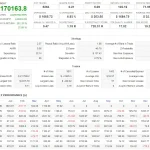
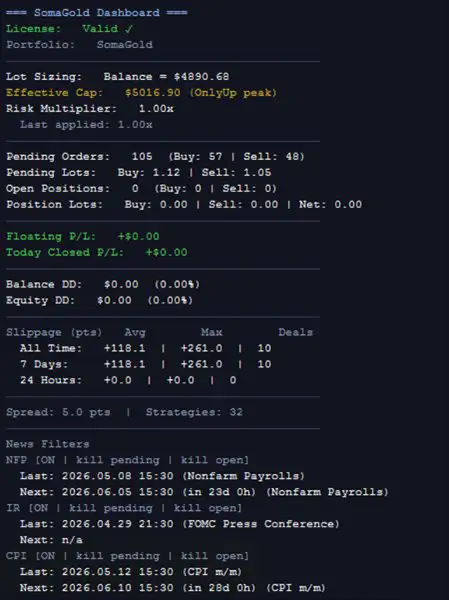
On-Chart Trading Dashboard and Account Statistics
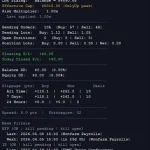
SomaGold MT5 includes a dashboard designed to make trading activity and selected account statistics visible directly on the chart.
Depending on the displayed fields, the dashboard can show:
- Effective capital and the reference used for lot sizing.
- Open positions and buy or sell pending orders.
- Floating profit or loss and the day’s closed profit or loss.
- Balance and equity drawdown in monetary and percentage terms.
- Historical trading costs, including slippage, swaps, and commissions.
- Closed profit and loss across available trading history.
- Pending-order usage and selected broker restrictions.
- Current spread and the number of active strategies.
- Upcoming and previous NFP, CPI, and IR/FOMC events.
Trading-cost statistics can be viewed across periods such as 1, 7, 30, and 90 days, as well as the available all-time history.
The dashboard can be configured separately for Strategy Tester and live or demo charts. This lets traders adjust the display to suit their monitoring preferences without changing the overall purpose of the EA.
Dashboard statistics are useful for observation, but they should not replace independent account monitoring or a review of the broker’s actual trade and transaction records.
Main SomaGold MT5 Parameters
The EA provides a wide range of configuration options covering strategy selection, order identification, risk settings, news protection, trading hours, and account restrictions.
- StrategiesToRun: Selects which of the 32 strategies are active.
- Magic Number and Comment Overrides: Customizes trade identifiers and order comments.
- AllowBuyTrades / AllowSellTrades: Enables or disables buy and sell trading.
- Lot-Sizing Settings: Controls fixed lots, capital-based sizing, and lot adjustments.
- MaxLots: Applies an optional EA-level lot cap.
- UseEquity: Uses equity instead of balance for position sizing.
- OnlyUp: Allows lot sizes to increase with tracked peak capital without automatically decreasing.
- MarginCallProtection: Applies the EA’s margin-budget checks and related lot adjustments.
- BaseCurrency: Specifies the currency reference for lot sizing.
- GMT Settings: Configures broker-time detection and seasonal offsets.
- News Filters: Enables and configures NFP, CPI, and IR/FOMC protection.
- Trading-Hour Settings: Defines weekly opening and closing times.
- Prop Firm Compliance: Configures daily drawdown limits, hedging restrictions, and pending-order caps.
- Dashboard Settings: Controls the dashboard’s visibility and refresh interval.
The StrategiesToRun parameter accepts comma-separated strategy numbers from 1 to 32, allowing users to test a subset of the portfolio.
An important operational consideration is that disabled strategies stop managing their trades. Before changing the active strategy selection, traders should review and appropriately handle any open positions associated with strategies they plan to disable.
Because SomaGold MT5 offers extensive configuration, users should understand the relationship between individual parameters before changing a live installation.
Recommended Setup for SomaGold MT5
The following guidance reflects the supplied product specifications and should be treated as a starting point for testing, not as a universal trading recommendation.
- Trading Instrument:
- Platform: MetaTrader 5.
- Chart Timeframe: Any supported chart timeframe, as the EA reads its strategy timeframes internally.
- Account Type: ECN or RAW-spread accounts are recommended for tighter spreads.
- Suggested Minimum Balance: USD 1,000 for the default risk configuration.
- Smaller Accounts: Consider reducing the risk multiplier and carefully reviewing margin requirements.
- VPS: Recommended for stable execution during the trading week.
- Automatic GMT Detection: Add the required time-server URL to the allowed URLs in the MT5 terminal if using AutoGMT.
The suggested USD 1,000 balance is a product configuration recommendation, not a guarantee that the account will have adequate margin or be suitable for every broker.
Before going live:
- Install the EA in MetaTrader 5 and confirm that automated trading is configured correctly.
- Verify the XAUUSD symbol, contract specifications, minimum lot size, and broker trading conditions.
- Review the lot-sizing mode, RiskMultiplier, MaxLots, and margin-protection settings.
- Check news-filter timing and GMT configuration.
- Test the selected strategy combination using suitable historical data and a demo account.
- Evaluate drawdown, margin usage, concurrent positions, and trading costs under different market conditions.
- Confirm that the EA’s trading schedule and behavior comply with any applicable account or funded-program rules.
For smaller accounts, carefully review the risk multiplier and margin requirements before trading. A lower lot size may reduce exposure, but no particular setting can guarantee that losses will remain within a predefined amount.
Who Should Consider SomaGold MT5?
SomaGold MT5 may be worth evaluating for traders who:
- Want to explore automated XAUUSD breakout trading on MetaTrader 5.
- Prefer a portfolio of multiple strategy configurations over a single entry model.
- Need configurable position sizing based on fixed lots, balance, or equity.
- Want built-in filters for selected US economic events.
- Value chart-based visibility into positions, drawdown, and trading costs.
- Need configurable controls for managing selected funded-account restrictions.
- Are comfortable testing, monitoring, and maintaining a relatively complex automated trading system.
The EA may be less suitable for users who expect a completely hands-off system without ongoing supervision or who are not comfortable assessing overlapping positions, margin exposure, and changing market conditions.
A larger strategy portfolio does not automatically mean lower risk or better returns. Traders should evaluate the combined system rather than judging each strategy in isolation.
Final Thoughts on SomaGold MT5
SomaGold MT5 is a multi-strategy Gold breakout Expert Advisor for MetaTrader 5 that brings together 32 selected strategies in a single XAUUSD trading setup.
Its principal features include internal multi-timeframe strategy configurations, three breakout-width variants, portfolio-based allocation, flexible lot sizing, margin-management controls, US economic news filters, configurable trading hours, an on-chart dashboard, and optional funded-account risk settings.
The reported development process includes multiple optimization configurations and an out-of-sample evaluation stage. These claims should be reviewed alongside the underlying test reports, assumptions, and execution conditions before relying on them in a live trading environment.
For traders interested in automated Gold trading, the most important evaluation steps are to understand the configuration, test the EA under realistic conditions, measure its combined exposure, and verify that the selected settings match their risk tolerance and broker requirements.
Risk Disclaimer
Trading Gold (XAUUSD) and other leveraged financial instruments involves substantial risk and can result in the loss of some or all of your trading capital. Breakout strategies may produce false signals, and multiple strategies can become correlated during volatile market conditions. Overlapping positions, margin requirements, spreads, commissions, swaps, slippage, gaps, and execution delays can materially affect results.
Risk controls, news filters, margin checks, and daily drawdown settings cannot eliminate all trading risks or guarantee that losses will remain within a desired limit. Backtested and historical results do not guarantee future performance. Developer-reported results should be independently evaluated, and compatibility with any prop firm must be verified against its current rules.
Test SomaGold MT5 in a suitable demo environment, understand its settings, and only trade with capital you can afford to lose.


Reviews
There are no reviews yet.